Do you or the company you work for benefit from the tools I build?
If so please consider Becoming a Sponsor it would be greatly appreciated ❤️



For everything you need to know, please head over to https://restclient.dalsoft.io
👉 New in 5.1: call MCP servers like any other API and Typed Clients
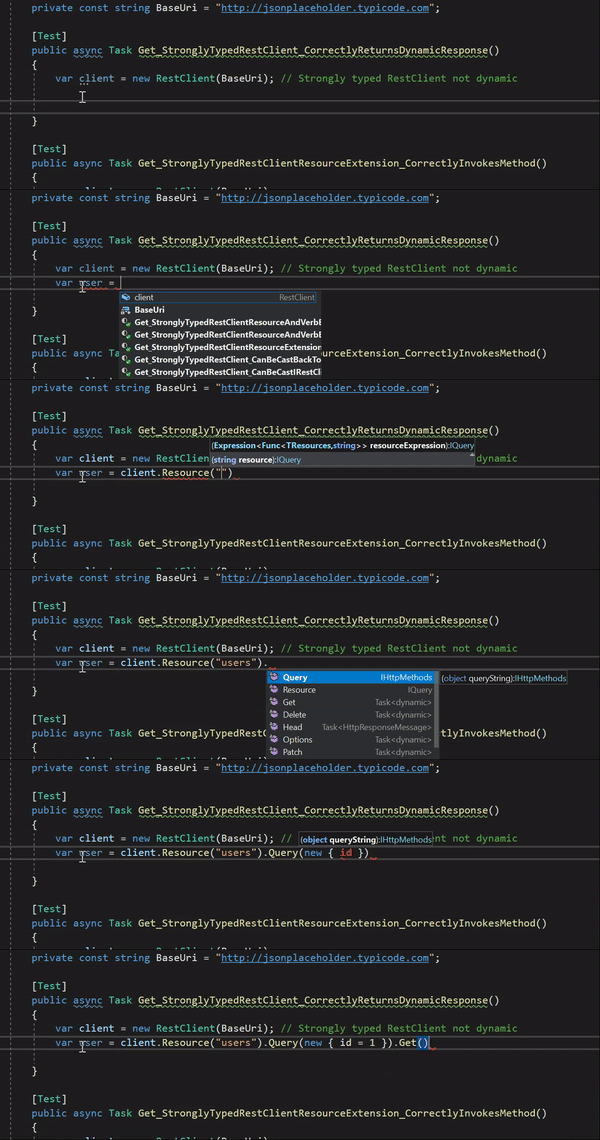
- Easily Create Fluent SDK's with Typed Clients
- Unit Testing
- Post Json
- Post Forms
- Post Files
- Retry Requests
- Raw HTTP
- Passthrough HttpClient
- Authorization
Targets .NET Standard 2.0 and .NET 8.0 - .NET / .NET Core, .NET Framework 4.6.2+ and Xamarin (iOS, Android, UWP) on Windows, Linux and Mac. See Supported Platforms.
> dotnet add package DalSoft.RestClientPM> Install-Package DalSoft.RestClientYou start by new'ing up the RestClient and passing in the base uri for your RESTful API.
For example if your wanted to perform a GET on https://jsonplaceholder.typicode.com/users/1 you would do the following:
Static Typed Rest Client
For the Static typed Rest Client just pass a string representing the resource you want access to the Resource method, and then call the HTTP method you want to use.
var client = new RestClient("https://jsonplaceholder.typicode.com");

User user = await client.Resource("users/1").Get();

Console.WriteLine(user.Name);
Dynamicaly Typed Rest Client
For the Dynamicaly typed Rest Client chain members that would make up the resource you want to access - ending with the HTTP method you want to use.
dynamic client = new RestClient("https://jsonplaceholder.typicode.com");

var user = await client.Users(1).Get();

Console.WriteLine(user.name);
Note all HTTP methods are async
- Version 5.1 Typed clients via
AddRestClient<TClient>()and an MCP (Model Context Protocol) handler - see below - Version 5.0 System.Text.Json by default and near-native performance
- Version 4.0 Static Typing and Resource Expressions
- Version 3.3.0 IHttpClientFactory Goodness
- Version 3.0 Pipeline Awesomeness
RestClient is a very lightweight wrapper around System.Net.HttpClient that uses the dynamic features of .NET 4 to provide a fluent way of accessing RESTFul API's, making it trivial to create REST requests using a lot less code.
Originally created to remove the boilerplate code involved in making REST requests using code that is testable. I know there are a couple of REST clients out there but I wanted the syntax to look a particular way with minimal fuss.
RestClient is biased towards posting and returning JSON - if you don't provide Accept and Content-Type headers then they are set to application/json by default See Working with non JSON content.
Typed clients - register a typed client the same way you would with AddHttpClient<TClient>() and take IRestClient in the constructor:
services.AddRestClient<GitHubClient>("https://api.github.com", new Headers(new { UserAgent = "MyClient" }));

public class GitHubClient
{
    private readonly IRestClient _restClient;

    public GitHubClient(IRestClient restClient) => _restClient = restClient;

    public Task<List<Repository>> GetRepositories(string user) =>
        _restClient.Resource($"users/{user}/repos").Get<List<Repository>>();
}
MCP (Model Context Protocol) - UseMcpHandler() lets you call MCP servers over the Streamable HTTP transport like any other API - the JSON-RPC envelope, session, SSE responses and errors are all handled for you:
IRestClient mcp = new RestClient("https://gateway.mcpservers.org/yahoo-finance/mcp", new Config().UseMcpHandler());

var tools = await mcp.ListTools();
var quotes = await mcp.CallToolJson("get_quote", new { symbols = new[] { "MSFT" } });
Console.WriteLine(quotes[0].regularMarketPrice);
TwitterHandler has been removed (the Twitter API v1.1 it targeted no longer exists). Full details: Typed Clients and McpHandler.
Version 5.0 switched to System.Text.Json with stock behaviour ([JsonPropertyName] honoured, case sensitive matching) and had a big performance pass - typed requests allocate the same as using HttpClient and System.Text.Json by hand, and about 6x less than RestSharp. If your models rely on the legacy Json.NET behaviour opt back in with new Config().UseNewtonsoftJson().
Full details: Upgrading to 5.0, Serialization and Performance (benchmarks are in the DalSoft.RestClient.Benchmarks project - dotnet run -c Release).
DalSoft.RestClient is built using the following great open source projects:
DalSoft.RestClient is inspired by and gives credit to: