
A Home Assistant custom integration that estimates the state of charge of one or two LiFePO4 battery banks from sensors you already have. It does not talk to a BMS and needs no extra hardware — you point it at a charge-power sensor, a discharge-power sensor and one voltage sensor per bank.
This is a monitoring/diagnostic estimate, not a safety-critical BMS function. Do not use it for automatic shutdowns without independent protection (cell-level monitoring in the charger/BMS itself). Mirrors the disclaimer in the upstream MQTT service.
- Coulomb counting (base SoC). Net battery power — charger power minus inverter power, AC or DC — is integrated over time (Ah). This is the primary SoC source. It is accurate short-term but drifts slowly (measurement error, efficiency, self-discharge).
- Voltage recalibration at the ends. A LiFePO4 cell's voltage curve is almost flat between roughly 15–85 % SoC, so mid-range voltage is useless for SoC. Only near empty and near full does voltage move measurably. There the coulomb counter is snapped back to 0 % / 100 % once the load-corrected voltage crosses a threshold and the current is low enough for the reading to pass as a resting voltage.
- Load compensation. Instead of a family of voltage curves per load current, the measured voltage is corrected by a current-dependent offset (mΩ/cell) before it is compared with the resting-voltage curve.
- Topology-aware. Parallel / single bank → one SoC (Kirchhoff forces a shared voltage; a per-bank split would be fictitious). Series → a per-bank SoC plus a combined "weakest bank" figure.

The button above pre-fills the custom-repository dialog. Or by hand:
- HACS → ⋮ (top right) → Custom repositories.
- Repository:
https://github.com/Developer-Simon/ha-battery-soc— Category: Integration. Add. - HACS → search Battery SoC → Download.
- Restart Home Assistant.
Add it under Settings → Devices & Services → Add Integration → “Battery SoC (LiFePO4 coulomb-counting)”, then point it at your charger/inverter power sensors and one voltage sensor per bank.
The full config-flow options, the entity list and the
battery_soc.set_state_of_charge action are documented in
docs/integration.md.
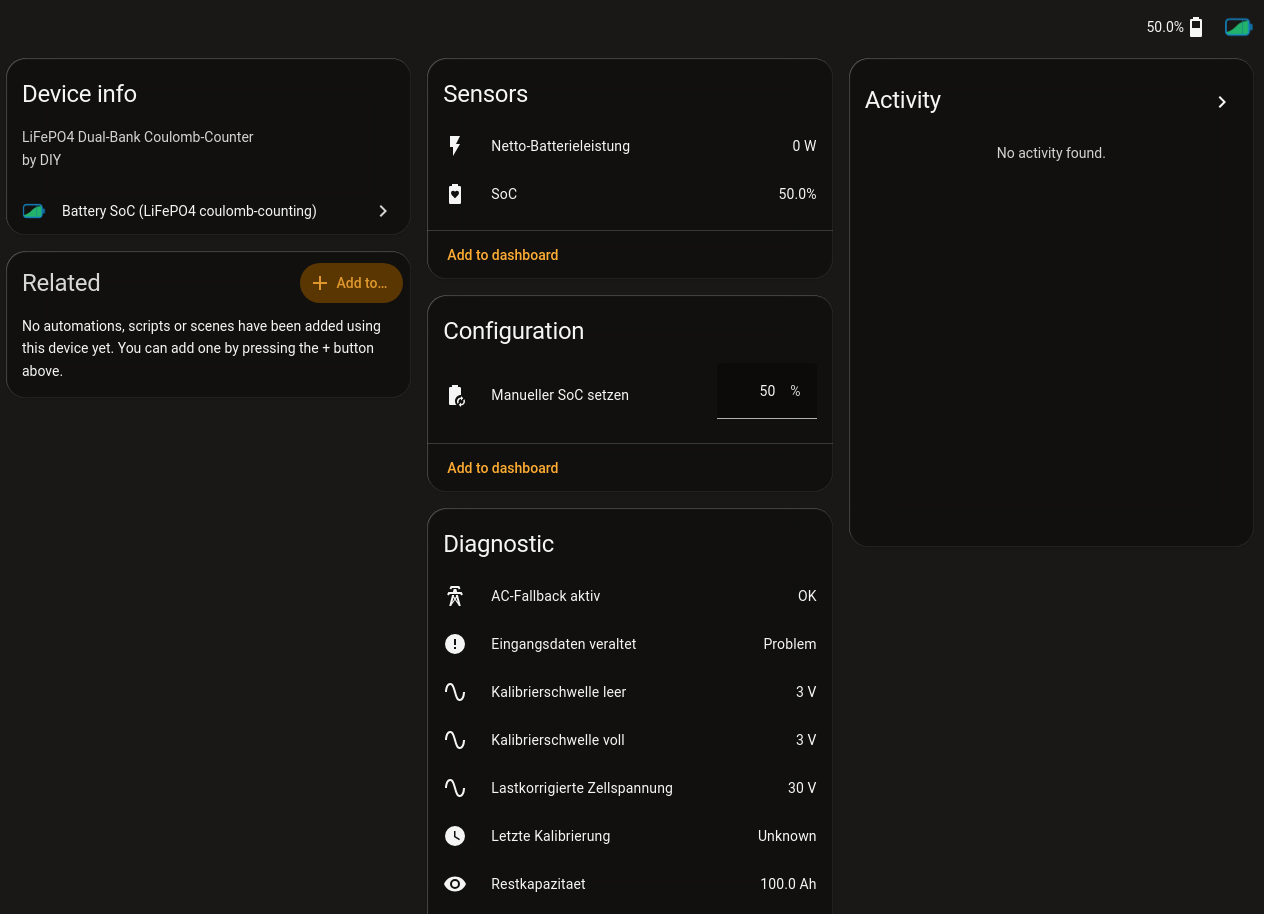
The screenshot is from a German-language Home Assistant, so the entity labels above read in German. The integration ships English and German translations and follows your Home Assistant language setting.
The integration ships its own Lovelace card, custom:battery-soc-card, and
registers it with the frontend itself — no manual resource entry under
Settings → Dashboards → Resources is needed. It offers two displays: a
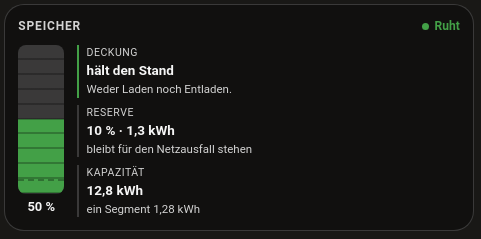
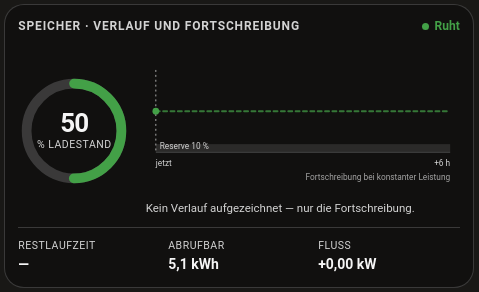
column (stock and time remaining) and a trajectory (ring plus a six-hour
history and six-hour projection).
display: column |
display: trajectory |
|---|---|
 |
 |
The card only appears once the integration is set up as a device. It is registered with the frontend from
async_setup_entry, so you must add a Battery SoC entry under Settings → Devices & Services first and then restart Home Assistant. Until then Lovelace reports Custom element doesn't exist: battery-soc-card. If it still fails after the restart, hard- reload the browser (Ctrl+Shift+R) to drop the cached dashboard.
type: custom:battery-soc-card
display: trajectory          # column | trajectory
soc_entity: sensor.speicher_soc_combined
power_entity: sensor.speicher_net_power
capacity_kwh: 12.8
reserve_percent: 10          # 0 = no reserve
invert_power: false          # true if your meter reports discharge as positive
runtime_entity: sensor.speicher_time_to_empty   # optional, wins over the linear estimate
soc_entity is the only required option. Without a Recorder history for
soc_entity (Recorder disabled, or retention shorter than six hours) the
trajectory display falls back to showing only the projection — that's the
normal case after a restart, not an error.
This integration was written with AI assistance (Claude, via Claude Code), reviewed and maintained by @Developer-Simon. Contributors must disclose which AI tools assisted their pull request — see AI-DISCLAIMER.md.
MIT — see LICENSE.