Fastfile Devlog
First, a bit of context: I'm running the game through an emulation layer in an ARM Windows virtual machine on a MacBook. Performance is horrible, which makes development a bit harder to do reliably, especially when I need to get into a map to test something. Even a small change can mean another slow trip through the loading screen just to find out it still looks wrong.
I've been working on getting the Xbox 360 DLCs running on PC in Project: Consolation. I'm keeping this diary as the work progresses. Canals is the main test target, but I also have Barge as a test comparison on both platforms, which gives me something to compare against when things go wrong.
Getting into the map was the first hurdle. Getting it to actually look and play right is a much bigger job.
To work on the fastfiles, I made a zone tool in Python based on Mo's (michaeloliverx's) fork of OpenAssetTools. It gives me a way to inspect, dump, and work on converting the zone data without having to do everything inside the game. It's still a work in progress, and some asset types aren't supported yet.
The gameplay screenshots are from my tests, with build dates visible in most
of them. I also generated the two small texture previews while checking the
decoder. I've kept the original images in images/.
I finally got into Canals. Before this, I was either stuck at "Awaiting challenge" or crashing somewhere in the asset loader. Reaching gameplay meant the converted zone was at least getting through enough of the PC loader to start the map.
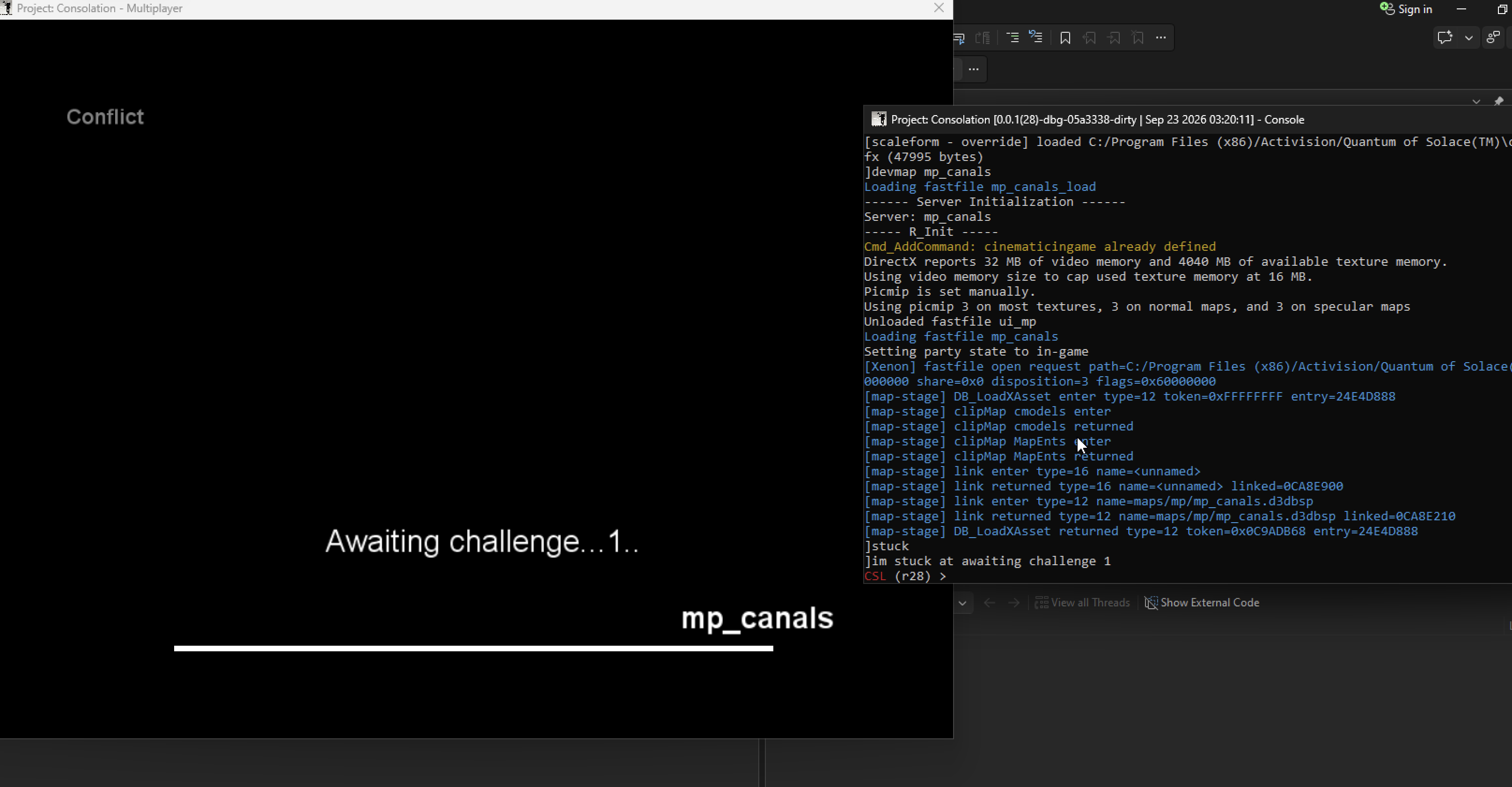
One of my earlier loading stalls. This is the game's own loading screen, not the preload overlay.
There wasn't much to see once I got in: mostly beige, with my weapon and HUD floating in front of it. Later tests showed collision and lighting working, but the map itself still wasn't rendering properly.
I also started working through the Xbox texture format. Swapping the fastfile's byte order isn't enough. Xenos stores textures in tiles and has its own GPU byte swapping, so I needed to handle those separately to get usable PC image data.
I spent this stage following techsets and image references. Some materials refer back to assets loaded earlier in the zone. Those links need rebuilding when I write the PC zone; keeping the original Xbox pointer won't work once the data has moved.
The technique-state slots differ too. Similar names helped me find possible PC counterparts, but I couldn't assume the shaders were interchangeable. I started using native PC materials and their state tables as references, and kept track of the fallback mappings so I could revisit them.
I prepared common_xenon.ff to preload shared PC rendering assets. I added a
loading overlay around that later, although the overlay appearing doesn't tell
me whether every asset dependency has actually resolved.
Well, you might look at this and wonder why I'm calling it white when it's clearly beige. The map GSC and vision files have loaded, so the white material gets that beige appearance from the map's vision settings.
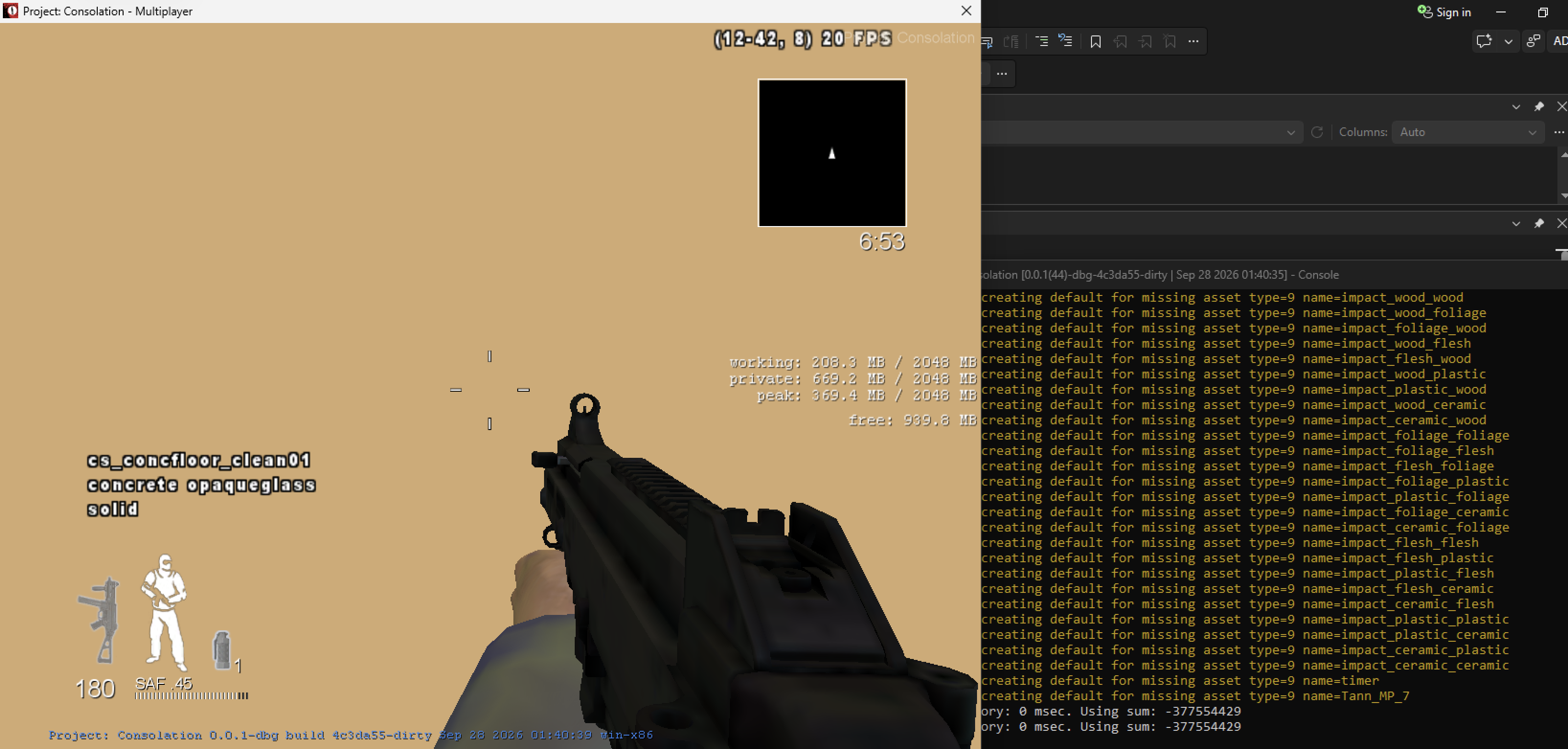
I could read a material name while looking at a mostly empty world.
At first this made me think the materials were fine and only the images were missing. But the trace can give me a collision material without telling me what the renderer is actually drawing. I still needed to check the draw material and its texture bindings in the PC renderer.
Barge helped here because I could compare the same map on both platforms instead of guessing from Canals alone. I used the Wii symbols for names where useful, but checked the actual layouts against the PC game.
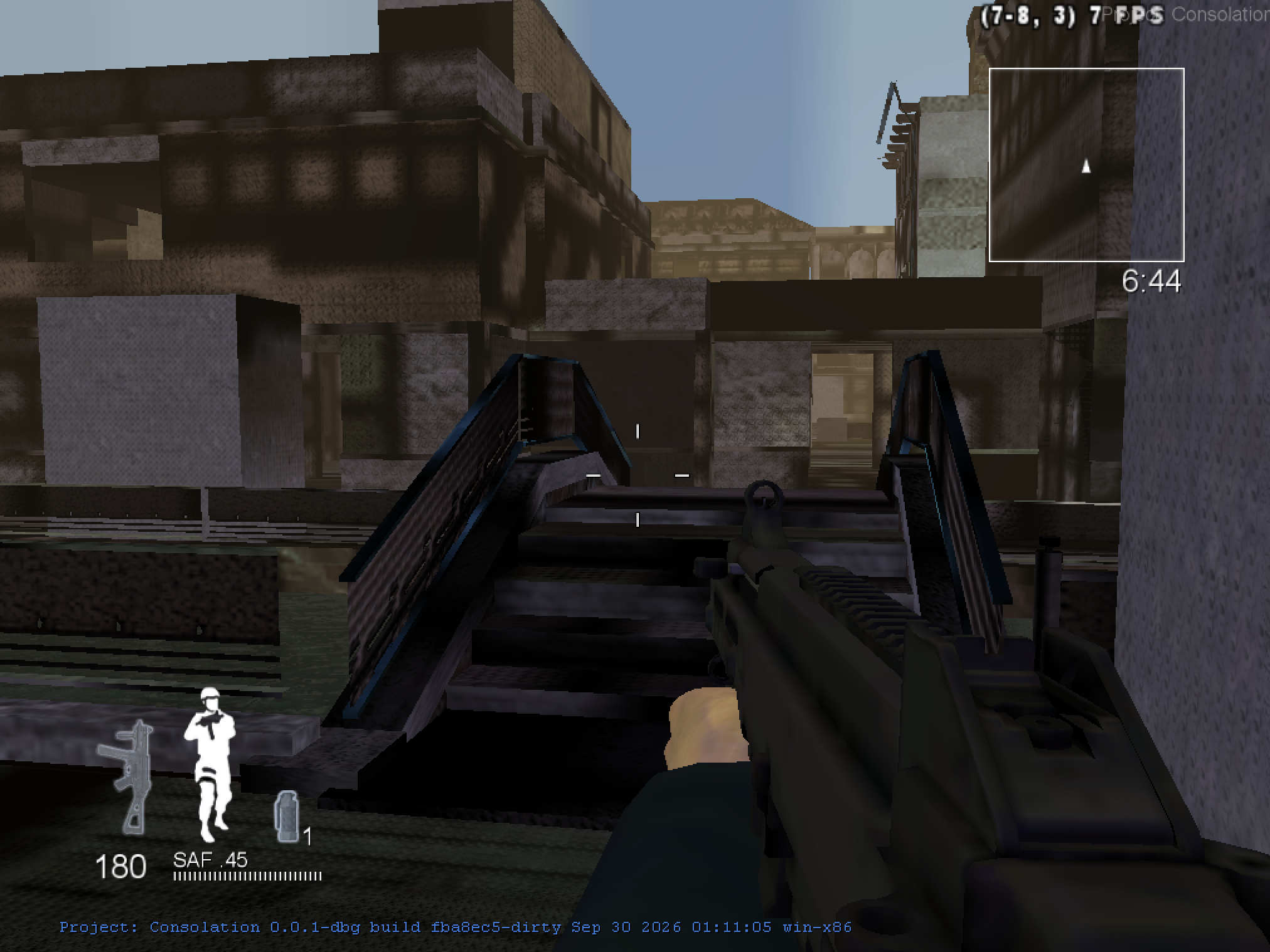
I can finally see the bridge and buildings. There are still missing faces and plenty of dark or wrong-looking textures.
Seeing actual geometry was a huge milestone after so many blank-world tests. It also gave me something concrete to inspect. The map was far from finished, though, and the next few tests still had holes and strange materials.
I wrote a Python script to compare all 5,019 surfaces. Their local triangle indices and vertex ranges were valid, and the referenced vertices fit inside their surface bounds. I also compared winding against native PC Barge. Both platforms agreed, so I left the index order alone rather than reversing everything as another guess.
I found materials with incomplete texture sets still using their original techniques. I made those fallbacks explicit and resolved the PC identity normal map where it was needed. That reduced the number of incomplete materials, but didn't restore all the missing surfaces.
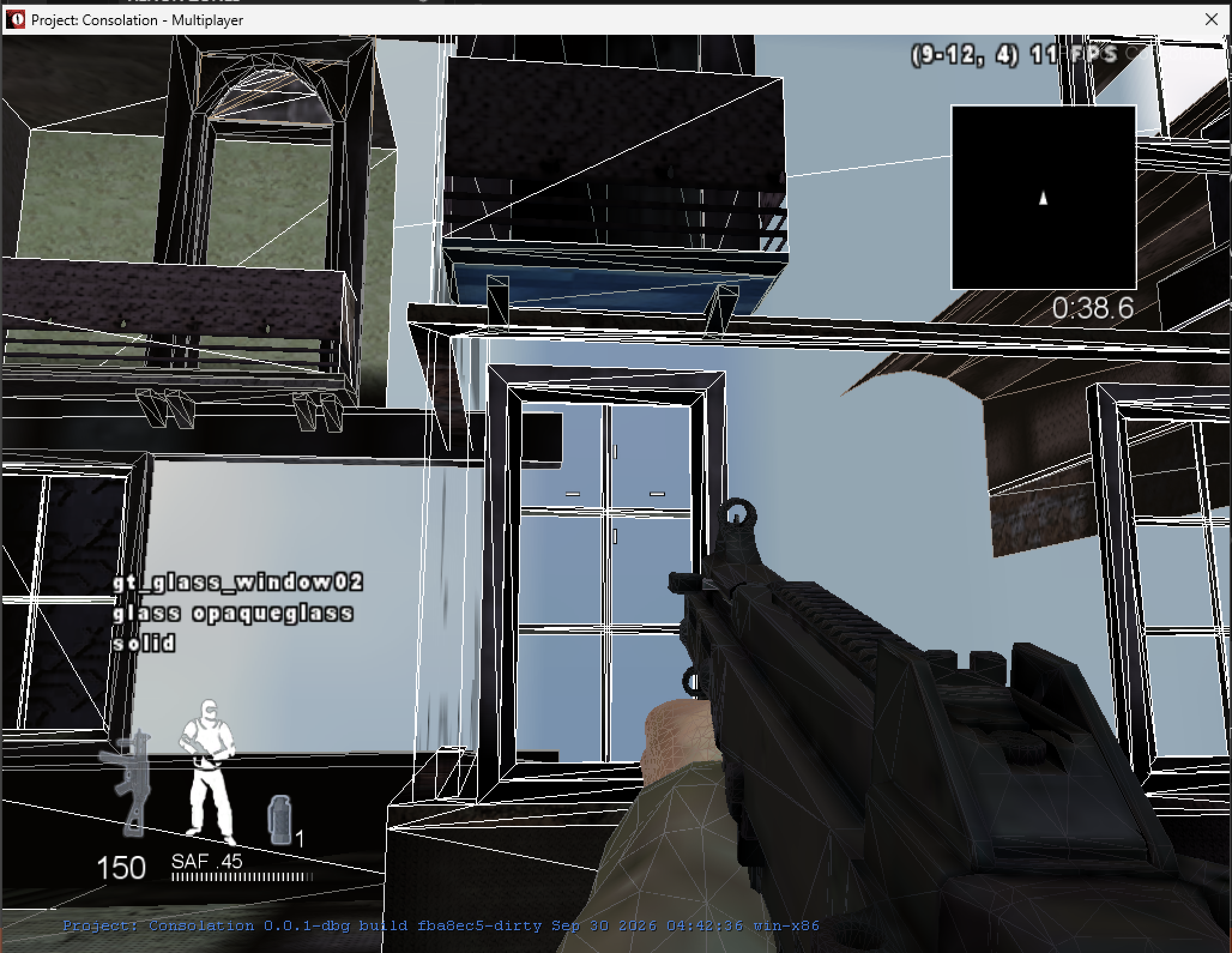
This window reports gt_glass_window02. The pale blue areas aren't limited to
glass, though.
I wondered if the glass issues could be caused by the fact that glass can be a destructible in the CoD engine. I remember some issues with missing glass in the early zonetool days.
I found a definite decoding bug in gt_concrete_white_trim_c, a 512x128 DXT1
texture. Its smaller mip levels share a packed tile on Xbox. My decoder was
reading them as separate allocations, so it picked up the wrong part of the tile.
Old level 3:

Corrected level 3:

These previews are only 64x16. The corrected one actually contains the stone texture, rather than the dark fragments I was getting before.
I adapted the packed-tail offsets from Xenia's texture utilities. I've credited that in the decoder. I added checks for the fetch dimensions and format, plus tests for shared tiles and GPU byte swapping. My game is using mip level 3, so this seemed like a promising explanation for some of the bad textures.
I installed the corrected zone and checked its hash. Then I loaded Canals again, and it looked pretty much the same:
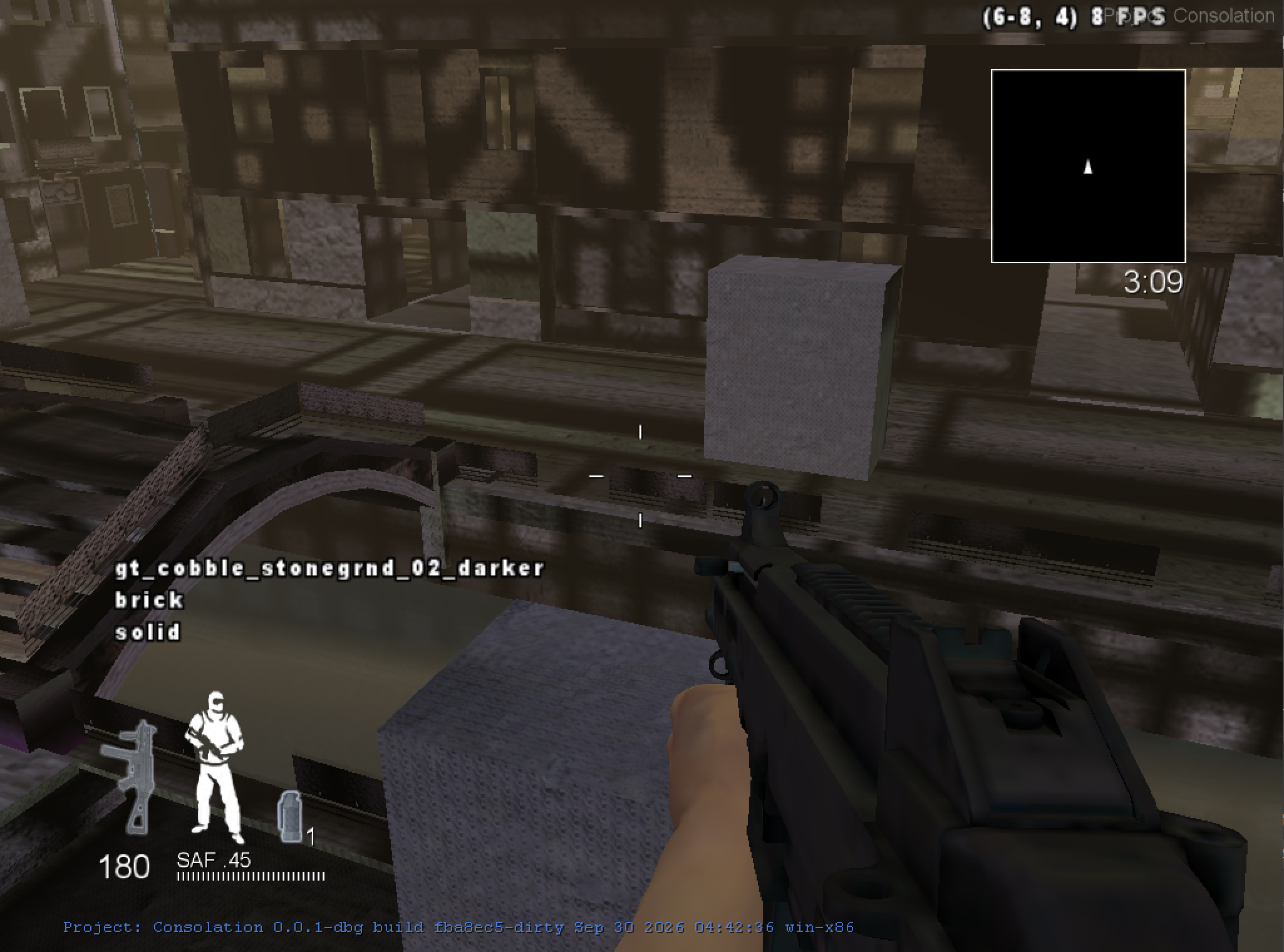
My latest test without wireframe. The repeating dark patches and geometry gaps are still there.
The decoder fix is real, but it clearly isn't the whole problem. I still need to find out whether the live material is using that image correctly and what its other inputs look like. I'm keeping the fix and following the remaining texture, lighting, and draw paths.
I checked the PC vertex declaration against the converter's 44-byte layout. Then I compared a wider Barge sample: 141,979 source vertices had matching positions in the PC array, with 74,791 exact full records and 89,392 matching diffuse UVs. Those are record counts, not unique positions or Canals coverage.
That gives me a good reason not to blindly swap the UV fields. It doesn't mean every surface is correct: the two platform cooks can split vertices differently, and matching a position isn't enough to identify the same surface or material.
The game was lagging so much that I tried r_fullbright 1, hoping it would help
performance. That turned out to be a useful test for a different reason: the
textures suddenly looked much closer to what I expected.
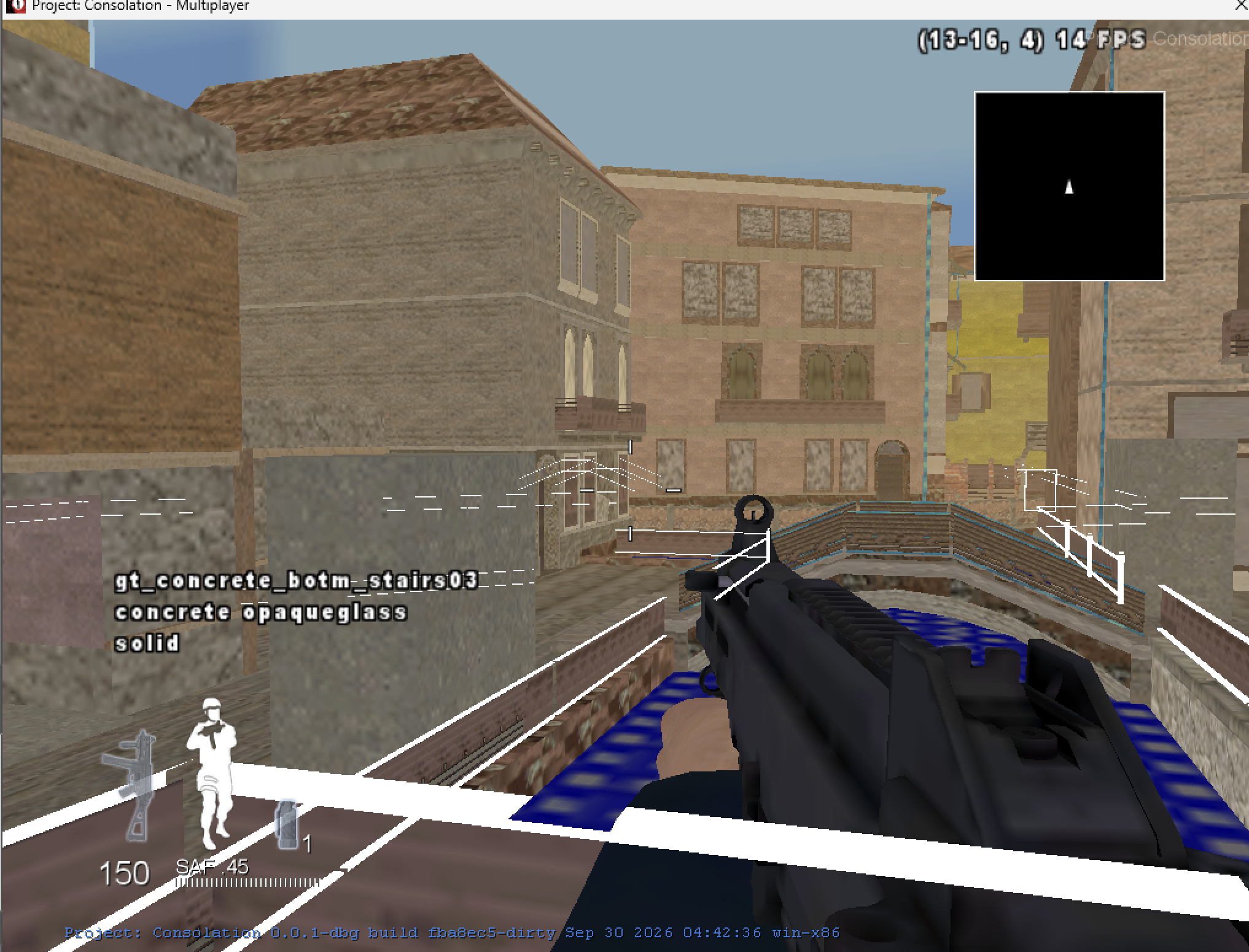
The buildings look much more recognizable with fullbright on. Some surfaces are still wrong, including the white fence and blue areas.
I'd been chasing what looked like bad textures, but this makes the lighting path a much stronger suspect. It doesn't prove every texture is correct, or tell me whether the problem is in the lightmaps, normal maps, or lit techset bindings. It does give me a better direction than blindly changing the diffuse UVs again. Fullbright is just a test here; I still want the map working with normal lighting.
I then tried r_fullbright 0 with r_normalMap 0, which replaces the normal
maps with flat normals. The dark repeating patches disappeared. That narrowed
things down much more than fullbright alone.
I disassembled native PC shaders and found that their alpha and green channels encode normal slopes. My DXN conversion was copying the channels straight across. I've added a separate probe that reconstructs the normal and re-encodes it for that PC shader decode. The tests pass for flat and tilted normals, but I still need to see how it behaves on the actual map before making it the default.
The first test looked better, but patches remained farther away. Flattening the normals removed those too. Following one cobblestone material turned up a much more obvious mistake: my generic slot matching had given it wood-door textures. The hashes identify normal/color/specular slots, not which texture belongs there. I'm testing a narrow cobblestone-family correction while I work toward resolving the actual packed stream addresses. This isn't a general solution yet.
That cobblestone test worked. I've expanded the same approach to other material families, using complete name roots and matching sampler slots. If a shared reference produces conflicting image names, I leave it alone rather than pick one at random. Every new family match is listed in the conversion report as provisional. This should tackle more of the wrong concrete, brick, wood and glass textures, but it still needs an in-game check and doesn't solve missing geometry by itself.
The windows still looked wrong after that. I checked the running game and found their actual color image bound with a GPU texture, so this wasn't another missing image. The native PC alpha-test techset has seven state records, while my generic conversion of the Xbox glass produced six with a different slot table. I'm now testing the native PC state template for this techset family. It may also help cutout surfaces that look like missing geometry, but I haven't confirmed that yet.
I'm also checking what is still missing before calling this a full map. A big
gap is the layered *... materials: the converter currently chooses a simpler
PC techset, losing their actual blending. The source also has map-local sounds
and effects that aren't emitted yet. I've added a completeness audit to the
conversion report so these omissions remain visible alongside the material
fallbacks. Getting into the map is not the same as finishing the conversion.
I can get into Canals, walk on its collision, and see some of the world. Textures and water are rendering now. There are still missing pieces, repeating dark patterns, and problems around glass and lighting. It's progress, but it isn't ready yet.
I validated 302 material techset links and 1,520 image references in the latest zone. The four focused mip tests pass, and the full converter suite passes 97 of 98 tests. The remaining geometry-layout test still has an older static-model expectation that needs updating. For this candidate I generated the zone without building the C++ project or making a commit.
My next step is to pick one visibly wrong surface and follow its actual render material, texture slots, sampler state, and UVs. Where I can, I'll compare it with a matching PC surface. I'm also keeping the missing-geometry investigation separate, since fixing a texture won't necessarily fix a surface that never gets drawn.
I'm keeping the detailed layouts, checks, and zone hashes in my local research notebook. I'll add to this diary as I test new versions, including the attempts that don't make things look any better.
I wrote a Python probe to walk the inline world materials in stock PC Barge. It recovered 103 material records, which let me compare actual render materials instead of trying to infer them from the collision names.
Eight Xbox composite surfaces have bounds matching PC surfaces with ordinary
materials. One rust layer matches wc/bg_rustdecal_04, using
,wc_l_sm_b0c0; another matches wc/cs_grass_01, using
wc_l_sm_b0c0n0s0. This makes me suspect that some Xbox layered surfaces were
split into separate base and decal surfaces for PC. Matching bounds alone isn't
enough to prove that, so I still need to compare their triangles and UVs before
copying that approach into the converter. Simply choosing another single-layer
techset would still throw away part of the material.
The probe now completes, and I added a passing regression test for the material record's serialized end offset. This is investigation progress, not a new visual fix; I haven't replaced the installed zone with another guess.
The next comparison gave me something more concrete. Three Barge surfaces have the same triangle positions on both platforms, but PC uses the Xbox secondary layer's UVs as its normal texture coordinates. Those UVs match byte for byte. The sign uses eight bytes per layer vertex; two other decals use twelve. So swapping the techset alone can't fix these materials: the texture coordinates have to follow the layer too. I haven't applied that blindly to Canals, since I still need to preserve the base layer and work out the blending.
I added a conversion step that clones the vertices used by an overlay and moves its secondary UVs into the PC texture-coordinate field. It leaves the base vertices alone, so fixing one layer won't change another surface sharing them. The tests cover both verified record sizes, index remapping, and truncated data. This isn't switched on in the zone yet: the overlay still needs its own material and the right blend state.
I also checked the other installed PC maps. Docks gave me 39 validated overlay
material candidates, including concrete cracks, trash, and the oil-stain material
I compared in Barge. Several other zones couldn't be parsed consistently by my
current donor reader. I'm not treating those as verified donors until I fix that.
There hasn't been another in-game improvement from this work yet.
I now have a test zone using both Docks and Barge as donors. Seven Canals
materials match native PC names and sampler definitions, including two window
materials and the cracked-concrete decal. gt_glass_window03 uses a different
techset on PC, so I used that native material instead of trying another guessed
fallback. I kept the previous zone as a backup before installing this candidate.
The offline check validated 1,520 image links and 302 material-techset links with no invalid links. The converter tests pass 109 of 110 tests; the existing static- model layout expectation still fails. The layered overlays are not enabled yet, and I still need an in-game comparison before calling these material changes an improvement.