

Our team developed a system called Mommybot, it is a system using jetson nano to manage user's sleeping hours. The system was developed for the final proejct of our coursework, which is "KSE 624" from KAIST. For Mommybot, it took about 4 weeks to develop the system.
Authors: Jae Hyuk Jang(jaejang0113@kaist.ac.kr), Seonghyeok Park(seonghyeok@kaist.ac.kr)
To show the demo video of Mommybot, our team took a video showing what it does.

These days, more and more people are suffering from sleep deprivation. There are many reports saying that sleep deprivation will give negative effects on health. According to Korea Gallup REport in 2017, sleep deprivation will increase risk of cardiovascular disease 8 times, risk of diabetes 5 times, risk of dementia 5 times, etc. Also according to National Helath Insurance Service in South Korea, the number of patients with sleeping disorders increased from 2014 to 2018 fastly. Our team speculates that this trends continued in 2020.
Due to the advance of technology such as introduction of mobile phones, and computers, this trend continued and will be in the future. Although people are sleeping less due to their hard working styles with a belif in good human nature, our team bet that most people are sleeping less because they got distracted by cell phones or internet. Especially this is a major prolbme for many people who needs to go to specific places such as school or jobs at the certain time in the morning. According to National Sleep Foundation, the minimum required sleeping hours is at least 6 unless you are older than 65 years old. In other words, from Monday to Friday (unless you go to work on Saturday), you need to sleep at elast 30 hours for 5 days. To fix this problem, our team thought that what many people need is mom. Mom who cares about your health, who tells you to go to bed, who wakes you up in the morning. With this ideation of mom, our team developed Mommybot.
Mommybot's main function is divided into three: Record time events, Monitors your bed, Actions. each funciton will be explained after the requirement.
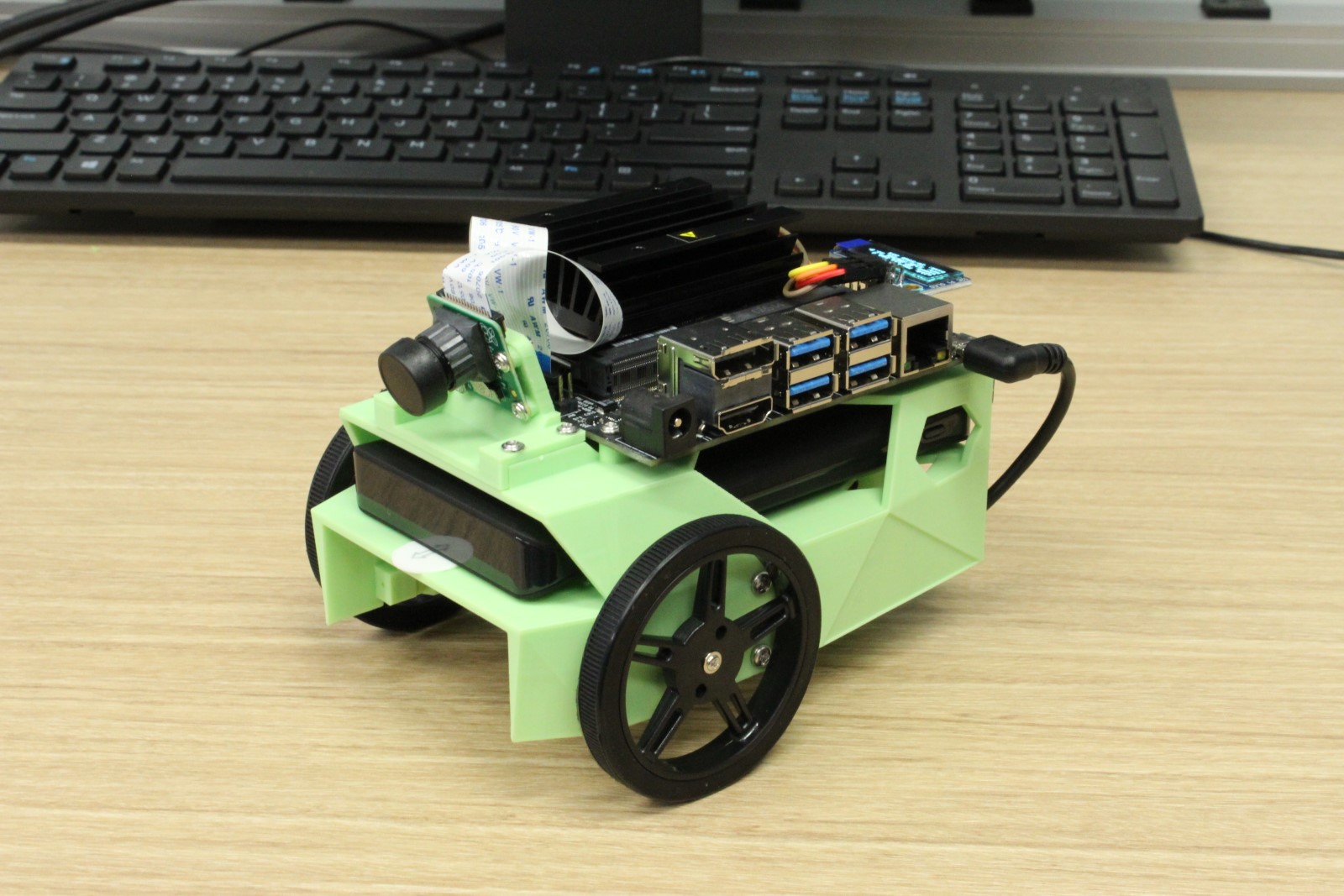
JetBot
USB-Speakr Any type of USB speaker is fine. For this Project, we used Vifa City from a brand named Vifa.
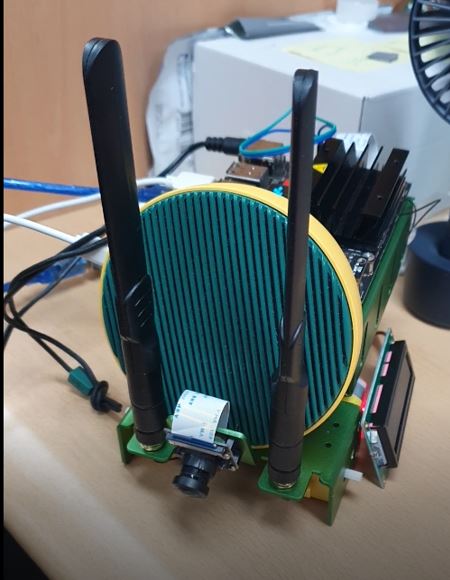
Arduino-kit + LCD
 ,
, 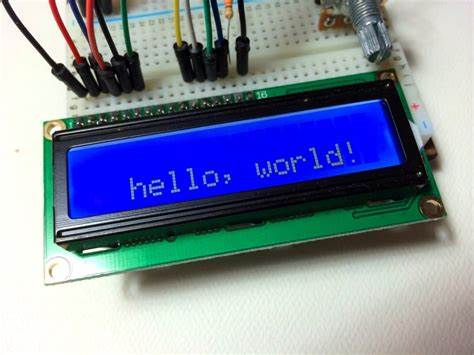
note: we sent 9600 singal to Arduino-kit+LCD in order to use display setting using serial library.
Installing several libraries are required.
- VLC : to play .mp3 file
- Tensorflow : to classify sleep state. MobileNetV2
- sklearn : to predict sleep time. RandomForestRegressor
- pySerial : to interact to arduino through USB Serial port
- pandas : to hande .csv files easily
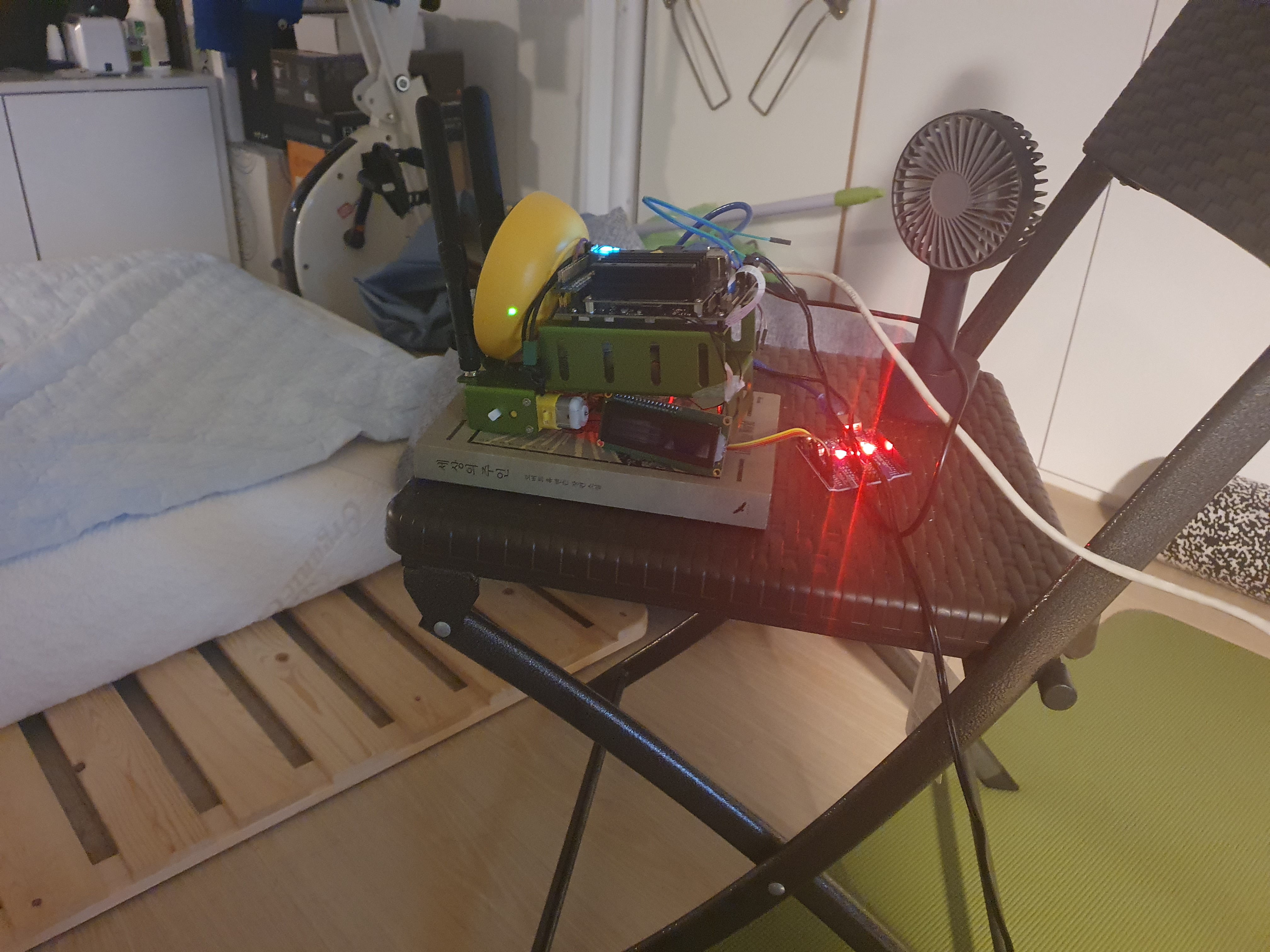
Mommybot's experiment was taken at a home of one of teammates. Since the system has to record the user sleeping, Mommybot was positioned right in front of bed which could record his face and body easily.
Where Mommybot was placed.
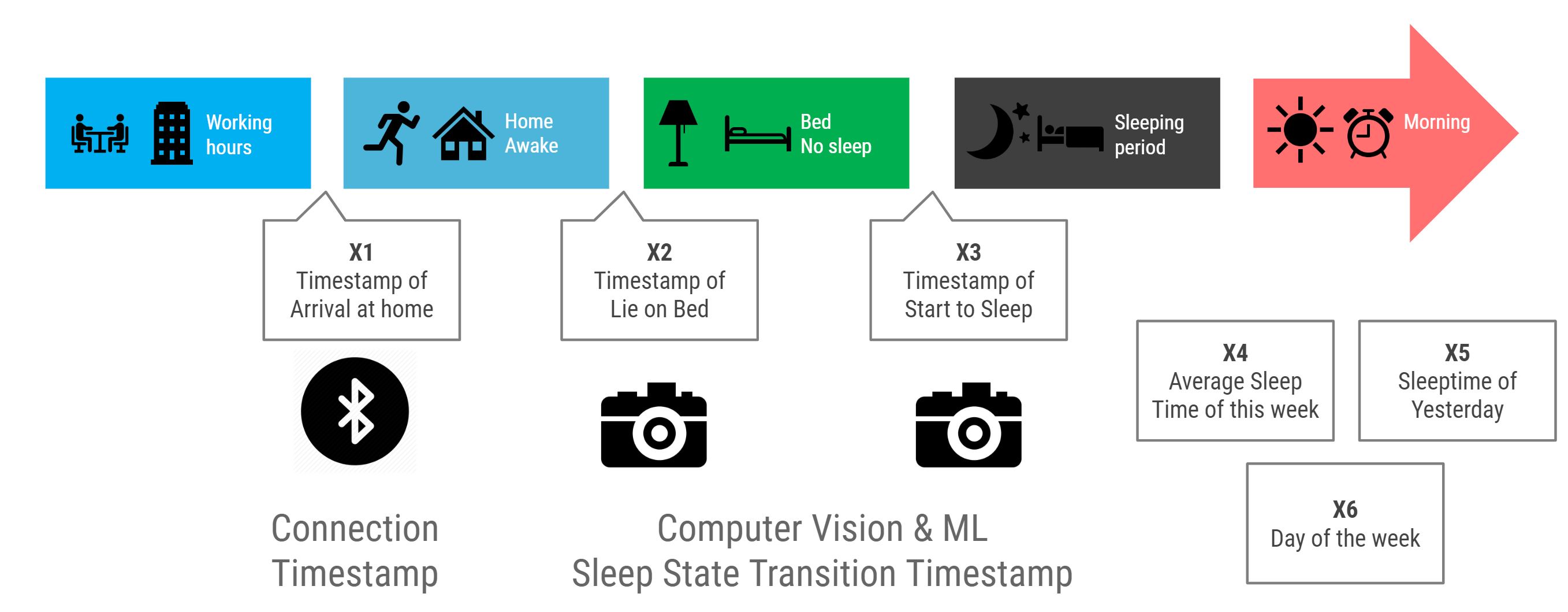
Everyday's time hours is divided into five different classes. Each classes transition timestamp will be recorded on Mommybot with two differet sensors & speaker device.
- Time interval from the moment you left your house until you returned to home & pair bluetooth to Mommybot.
- Bluetooth connection is requried to record your home arrival.
- Time interval from you paired bluetooth to Mommybot until you go laydown on a bed.
- Camera is reuqired to see whether you are on bed or not.
- Time interval from you laydown on a bed until you fall a sleep.
- Camera is reuqired to see whehter you are on bed and not sleeping (doing something else).
- Time interval from you fall a sleep until monrning call wakes you up.
- Camera is reuqired to see whehter you are on bed and sleeping.
- Time interval from monring call sound alarmed untill you leave your house.
- Speaker is reuqired to make sounds from Mommybot, and when the bluetooth connection is off, Mommybot will think you left the house.
This below photo breifly explains the above timelines, and how Mommybot records each time events.
Mommybot uses pre-trained model, which uses RandomForestRegressor in order to check your bed's current status. Current status consist of three situation, which are
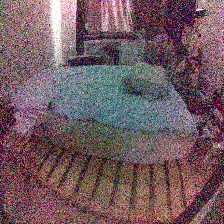
-No one's on the bed
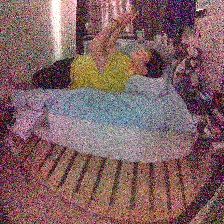
-you are on bed, but you are not sleeping. Either using phone, or doing something else.
-you are sleeping.
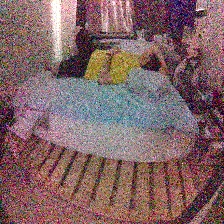
For pre-trained model, we took photos each of status for 2000 times, which are 6000 in total. Then we splited data into training and validation to train and validate the model. The accuracy was gained about 80%. We believe this was due to the low light condition, which is one of setings that could not be avoided because people sleep in dark condtion.
Our code named 'Training_model.ipynb' will shows steps in creating pre-trained model, which is 'mode_model2.h5. When you are replicating our code, you can use 'Training_model.ipynb' to take photos of three different status.
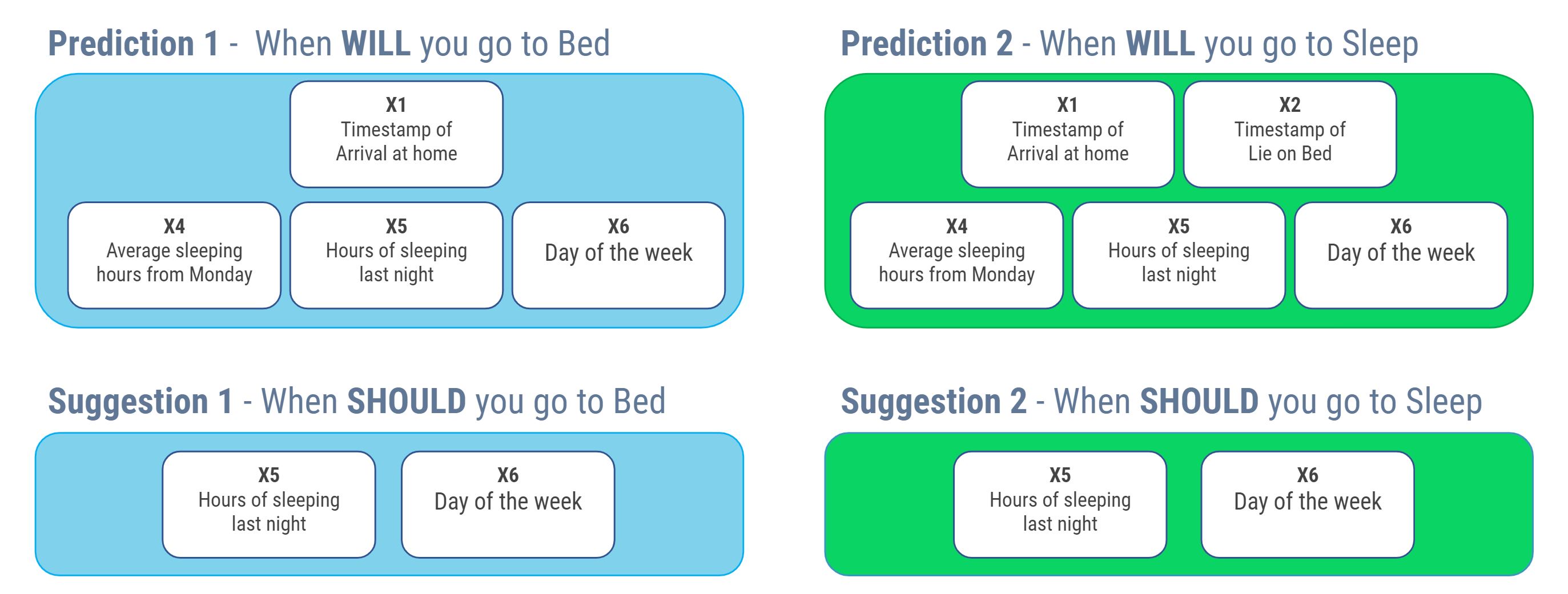
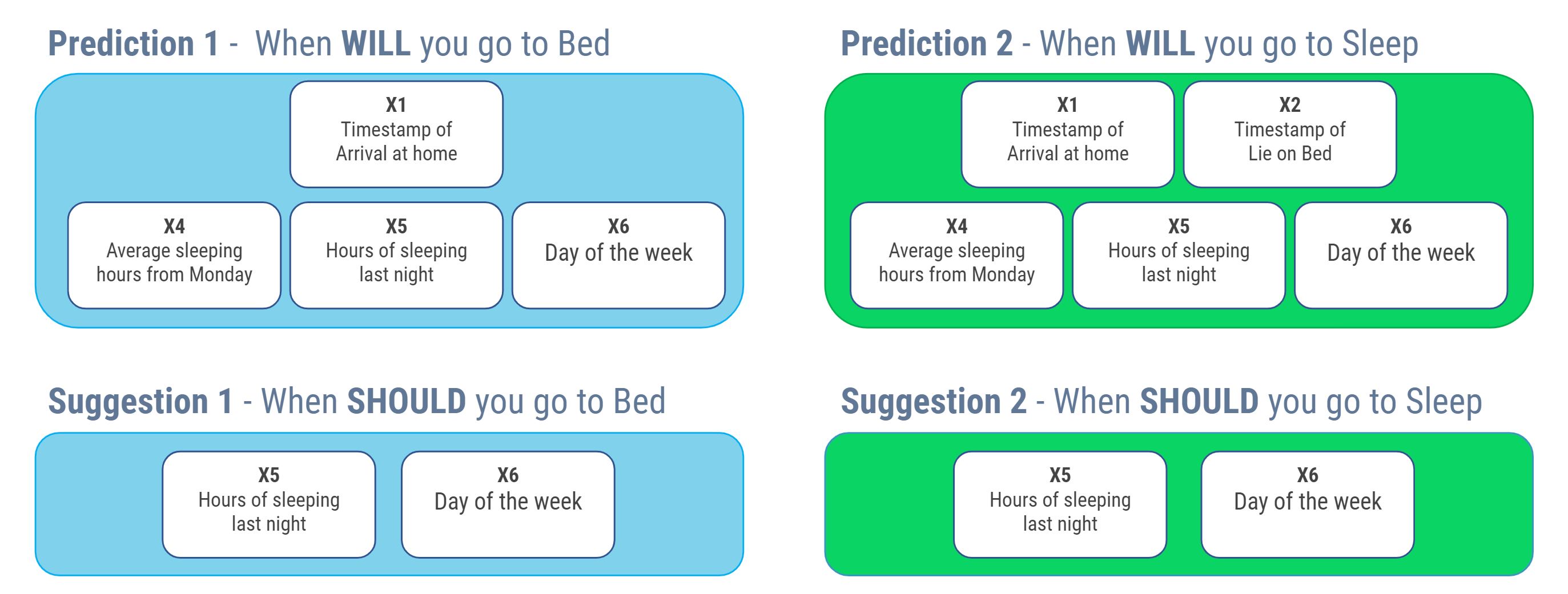
We used two RandomForestRegressor model on sklearn to predict start time of 'Bed-nosleep' and 'Sleeping Period'. The RandomForestRegressor is a meta estimator that fits a number of classifying decision trees on various sub-samples of the dataset and uses averaging to improve the predictive accuracy and control over-fitting. source: https://scikit-learn.org/stable/modules/generated/sklearn.ensemble.RandomForestRegressor.html For the first model, "1.Timestamp of Arrival at home", "4.Duration Time of Average Sleep Time of this week", "5.Duration Time of Sleeptime of Yesterday", "6.Day of the week" was used. The second model used one more featrue which is '2.Timestamp of Lie on Bed'
Mommybot uses 6 different time variables to generate four different outputs.
1.Timestamp of Arrival at home 2.Timestamp of Lie on Bed 3.Timestamp of Start to Sleep
4.Duration Time of Average Sleep Time of this week 5.Duration Time of Sleeptime of Yesterday 6.Day of the week
The key difference between Prediction and Suggestion is below.
Prediction: Either user's expected going bed time or sleeping time based on time varaibles. Prediction varaibles are generated by RandomForestRegressor. Suggestion: Either user's going bed time or sleeping time in order to accomplish user's preset sleeping goal hours (default value is 6 hours). Suggesstion variables are generated by rule.
which variables were used to generate output vairalbes are shown below image.
Based on these variables Mommybot gives three different actions, which are
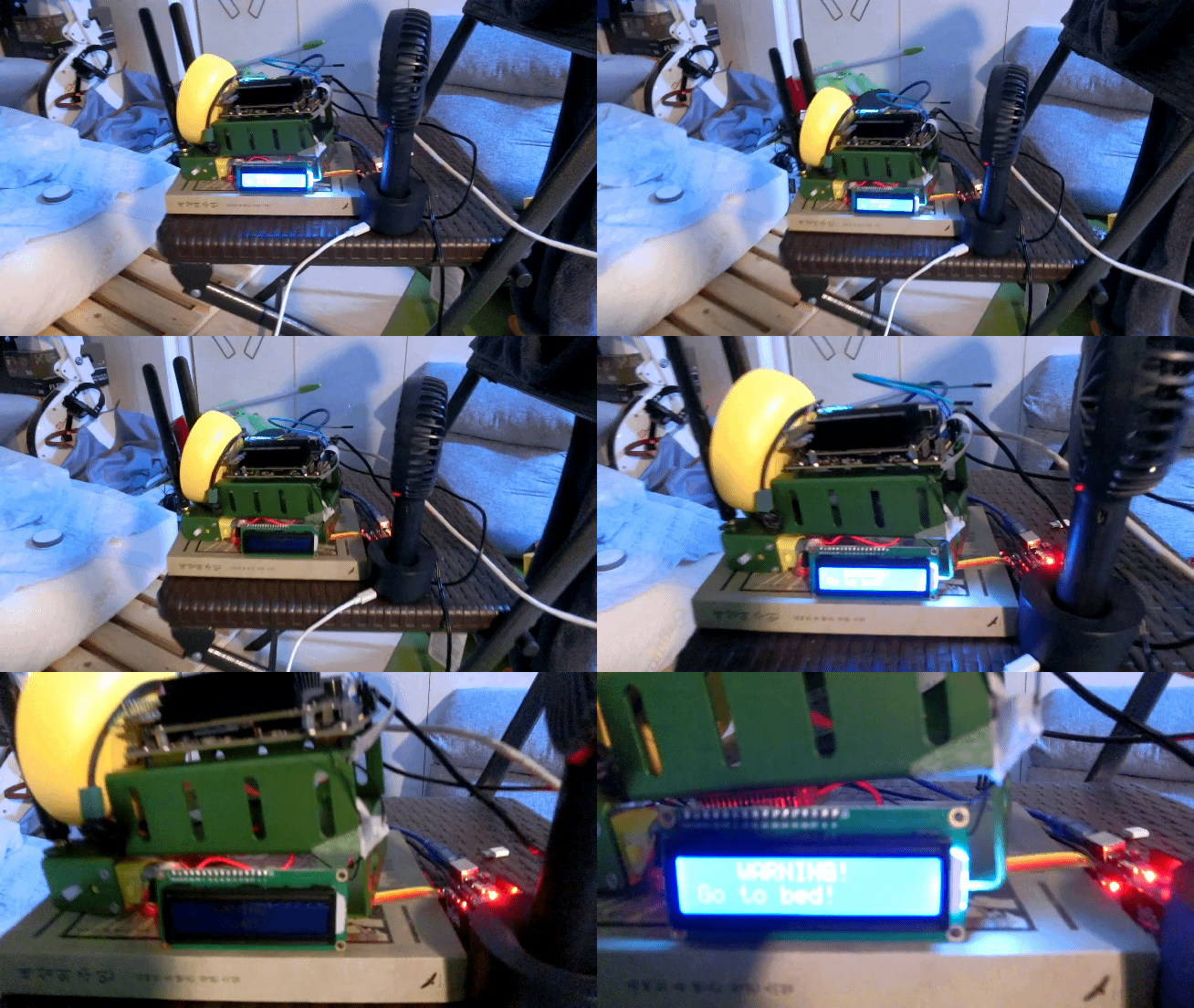
The Arduino display blinks and shows user to go to bed, and also form speakr previously recorded voice will be out teling user to go to bed.
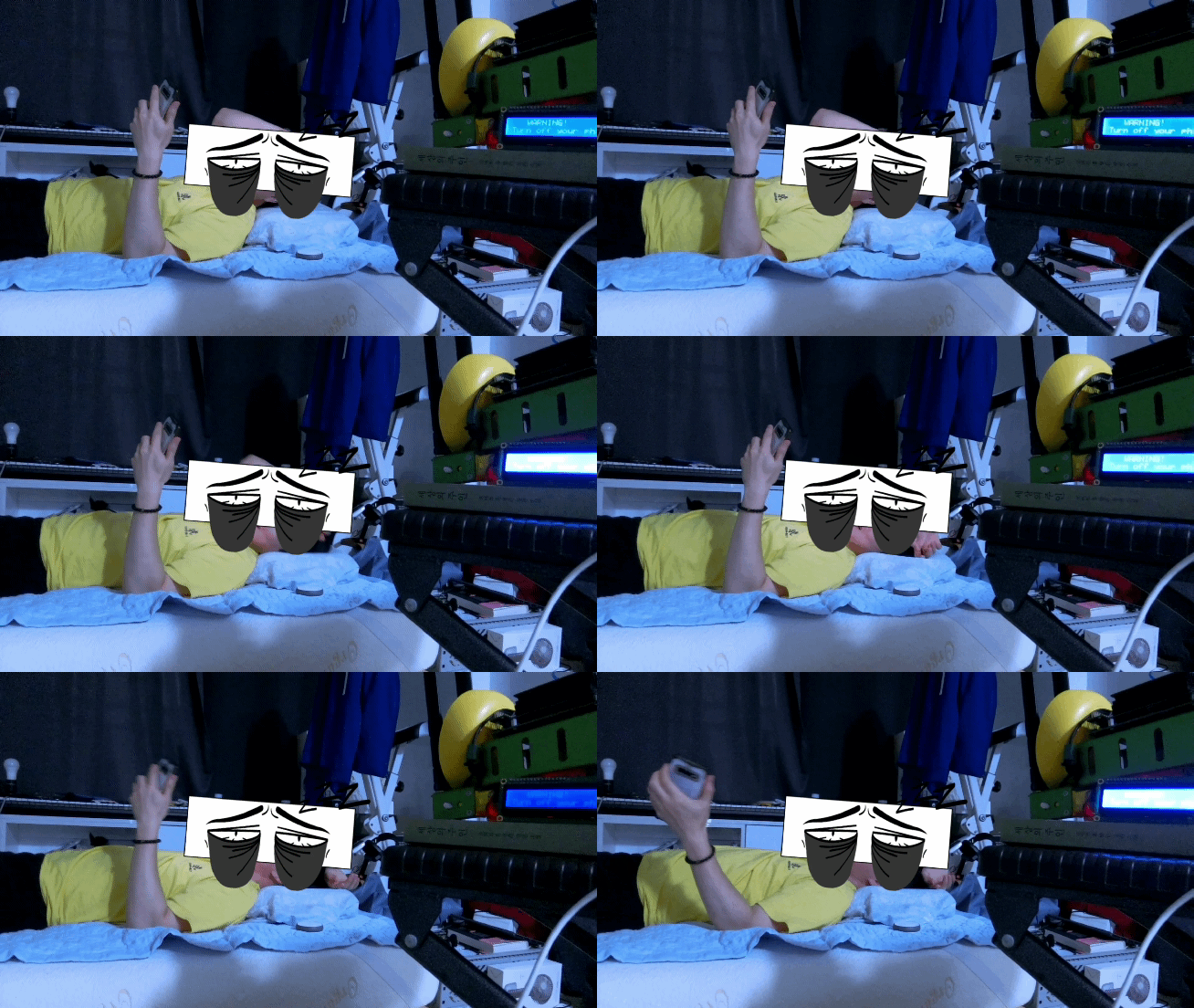
The Arduino display blinks and shows user to go to sleep, and also form speakr previously recorded voice will be out teling user to go to sleep.

The Arduino display blinks and shows user to wake up, and also form speakr will turn on the music that is put into Mommybot. *Any type of Mp3 file can be put into Mommybot, and can be used for the alaram sound.
Each of actions will be applied in three different intervals, which are shown below pictures.
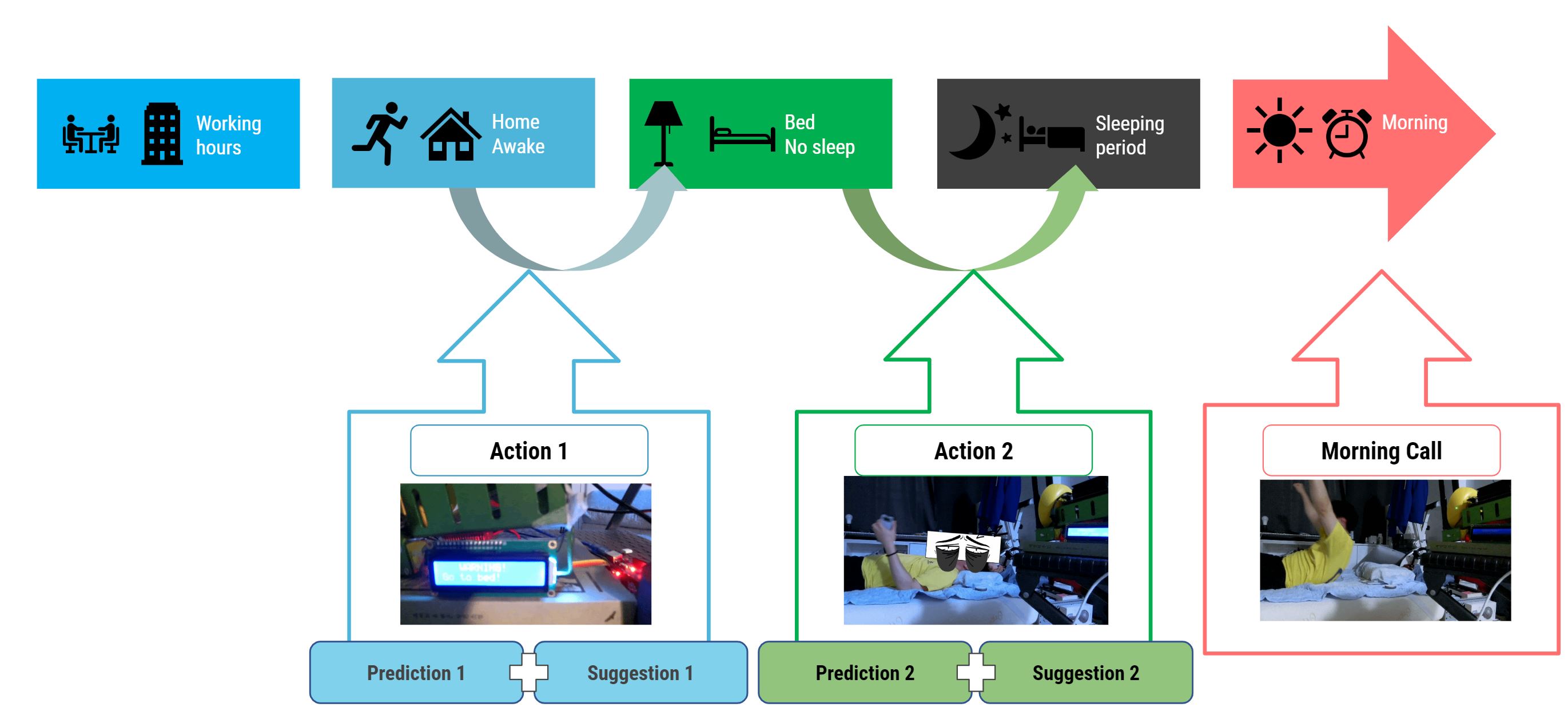
Each of actions are performed by Mommybot on gennerated outputs shown at output explaination. the time intervals are shown at below image.
NOTE Before run main, you need to build your own "sleep state classifier" and "time predictor" models using other 2 .ipynb file. This is main project file.
Generate train data using Jetbot camera and Train sleep status classifier (use MobileNetV2 on Keras) This will be take photo for each state. After run all code, 'model2.json' and 'model_weights2.h5 will be generated
Generate predict model from logs.csv file. you need to write your own logs.csv file based on your experience. After run all code, 'timemodel1.pickle' and 'timemodel2.pickle' will be generated
This class help you handling logs.csv file. logs.csv file have [t1-1, t1-2, t1-3, t2-01, t2-02, t3] columns which mean "home arrive timestamp", "go to bed timestamp", "fall asleep timestamp", "sleep time", "average sleep time on this week", "day of week information."
- getYesterdaySleep() : return yesterday sleep time from logs.csv
- getLastdaysSleep() : return average sleep time on this week from logs.csv
- saveLog(data) : append data on end of logs.csv. the data format should be [t1-1, t1-2, t1-3, t2-01, t2-02, t3]
This class help you playing .mp3 file on your directory for morning call or any voice recommendation.
- Constructor(filename) : The constructor requires filename which you want to play. (e.g. "Wishful_Thinking.mp3")
- playMusic() : play .mp3 file until you call stopMusic() method
- stopMusic() : Stop playing .mp3 file
This class help you send a message through USB Serial port to interact Arudino LCD display. Basically, it use ttyUSB0 port with 9600 rate.
- readSerial() : read message from serial port
- writeSerial(sentence) : send sentence (string) to serial port
This class help you use image classifier to classify sleep status. The model files ('model2.json' & 'model_weights2.h5') are required.
- getStatus(img_path) : img_path is string variable which share to snapshot method on main.ipynb. return one of strings ('non' 'not sleeping' 'sleeping' 'chaos') based on snap
This class help you handling sleep status. The main project requires same sleep status on last 5 snapshot to move on next stage.
- reset() : reset recorded last status
- checkStatus(): return last status. If recorded status are less than 5, return 'Not enough'. If the 5 status are same, return its state. Otherwise, return 'NotSame'
- updateLastStatus(data) : record string data. in main project, this method get classifier output.
This class help you handling timestamp and convert time unit. The project works with "minute" unit becuase of standardize timestamp unit through all night. If you set your start time is 16:00, the day will be start at 960min to 2399(next day 15:59).
- Constructor(starttime) : starttime is baseline of the day. If you set start time 16:00, 960 is start time.
- l2t(t) : convert linux time to minute unit.
- hm2t(data) : convert [Hour, min] data to minute unit.
- isStart(data) : return whether system start or not
This class help you use time predictor. The model files ('timemodel1.pickle' & 'timemodel2.pickle') are required.
- getPredictedTime(data, variable) : return predicted time for t1-2 or t1-3. variable is string value, 't1-2' or 't1-3'. data is depends on variable. if predict target is 't1-2', please input ['t1-1' 't2-1' 't2-2' 't3']. Otherwise, please input ['t1-1' 't1-2' 't2-1' 't2-2' 't3'] using int List.
There is one Arduino_LCDwithSerial.ino file on same name of directory. If you compile the conde on your arduino, it will simply work when it get string on Serial port.
Moommybot uses camera to take a photo of user to check wheter he is there, not sleeping, or sleeping. With sleeping condition, normal people would sleeping in the dark. Since our model used normal camera that was attached to the Jetson nano kit, the quality of the photo taken at night was very low. Therefore, Whether one is sleeping or not, can not be achieved in some cases. Not only this was the issue, but also what you are wearing at night is also important as well. Since the pre-trained model only used a picture of me wearing yellow t-shirt, if I'm wearing another shirt, there is a high chance that Mommybot would not be able to check the status correctly. In order to replicate our model, we recommend that you to use the same experiemntal conditions.