Your music. Your iPod.






iOpenPod is a free, open-source iPod manager and iTunes alternative for Windows, macOS, and Linux. Browse your music, edit your library, and sync audio, video, photos, and podcasts from your computer. Built-in conversion prepares media for your iPod, and Sync Review lets you choose what gets added, updated, or removed. Built with Python and Qt6.
Website · Install help · Discord · Support development

Native downloads are available for all three platforms (Windows, MacOS, Linux) on the latest release page.
Choose the asset for your platform from below.
you do not need Python to install these. See the installation guide for setup and troubleshooting.
| Platform | Latest release assets | Installation |
|---|---|---|
| Windows x64 | Windows x86_64 ZIP | Extract iOpenPod.exe and run it. |
| macOS · Apple Silicon | macOS arm64 DMG | Open the image and drag iOpenPod.app to Applications. |
| macOS · Intel | macOS x86_64 DMG | Open the image and drag iOpenPod.app to Applications. |
| Linux x64 | Linux x86_64 tar.gz | Extract the complete folder and run its top-level iOpenPod launcher. |
On Windows, keep the file name as iOpenPod.exe and place it in a folder you can write to
on a fixed NTFS drive for in-app updates. Windows users can also install through
Microsoft Store.
On macOS, launch from Applications after copying the app and ejecting the DMG.
The build targets macOS 12.3 or later. Current downloads are ad-hoc signed and not notarized; so you will have to allow the app to run in System Settings>Privacy and Secutiy. See the
Mac setup guide
which covers the first-launch prompts. Choose a DMG to install; the ZIPs labeled
sparkle-update are reserved for the built-in updater and arent inteded for users.
On Linux, extract into a folder you can write to, preserve executable permissions,
and keep the whole iOpenPod folder together. Always start its top-level launcher,
including after an update. The binary is built on Ubuntu 24.04 and requires glibc
2.39 or later plus desktop libraries.
Mac App Store, Flathub, and Snap Store remain planned. Check the website for channel availability.
iOpenPod checks for updates at launch. You can also use Settings → About → Check for updates. About shows your current version and Install Channel.
-
Windows and Linux: choose Update now to download the update, then Restart to install when ready. Save any Library Draft and finish running workflows first. Close other iOpenPod instances before restarting.
-
macOS: choose Update now after saving your work, then follow the built-in updater's installation and relaunch prompts.
Installation requires your choice. If an older build only offers Open download page, or cannot update itself, install the latest download from above manually. Older Linux directory bundles should be replaced by extracting the new archive into a fresh folder. Microsoft Store installations update through the Store.
First install uv, then run:
uv tool install iopenpodLaunch the app with iopenpod. For updates, choose Update now, then
Restart to install in the app. Or manually run
uv tool upgrade iopenpodFFmpeg and FFprobe are installed separately for media conversion and inspection. Chromaprint's fpcalc is also installed seperately and enables acoustic matching during Sync.
The startup popup or Settings → Media Tools → Set Up Media Tools can install missing tools after you choose Install Missing Tools. Native setup uses WinGet, Homebrew, or a supported Linux package manager.
-
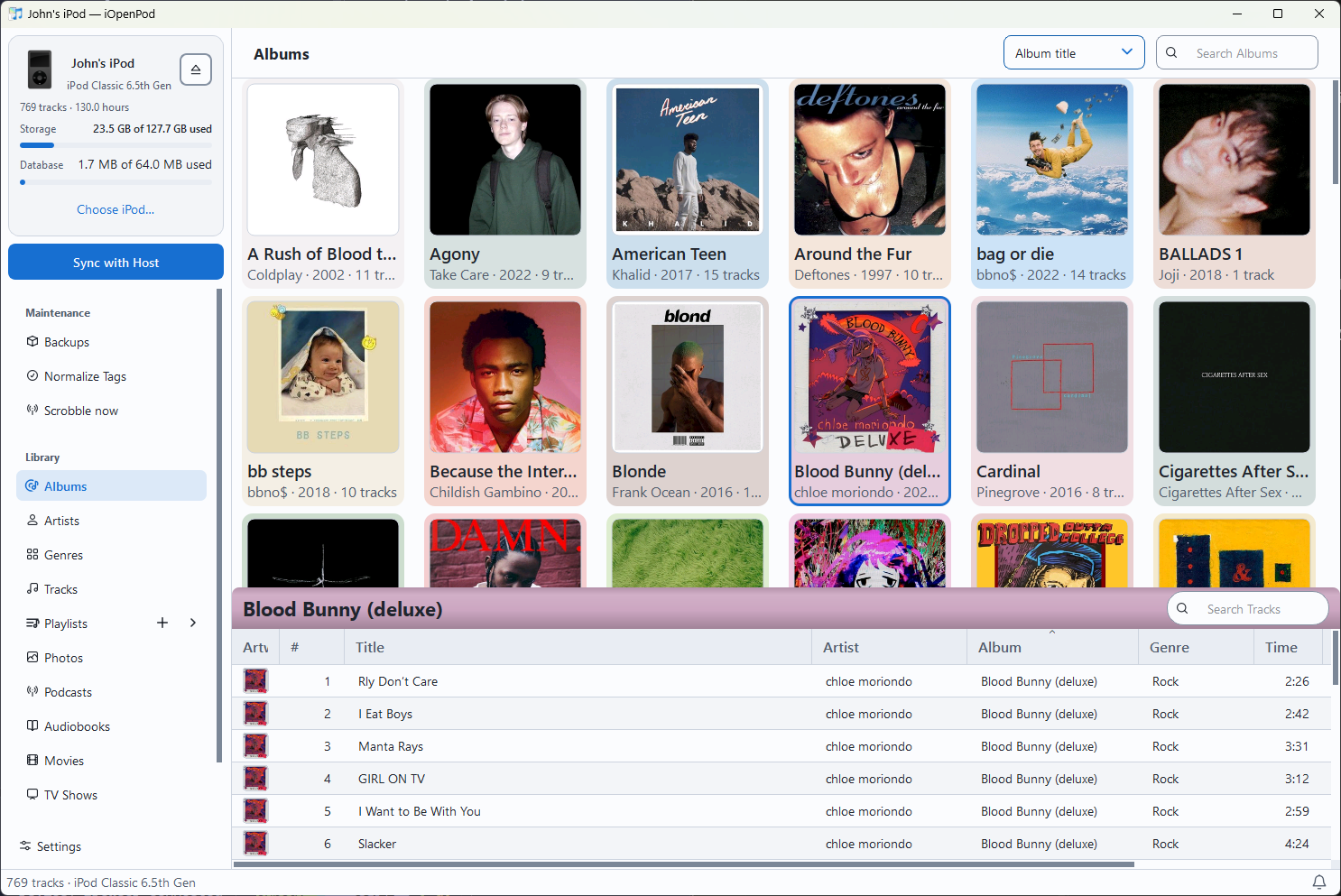
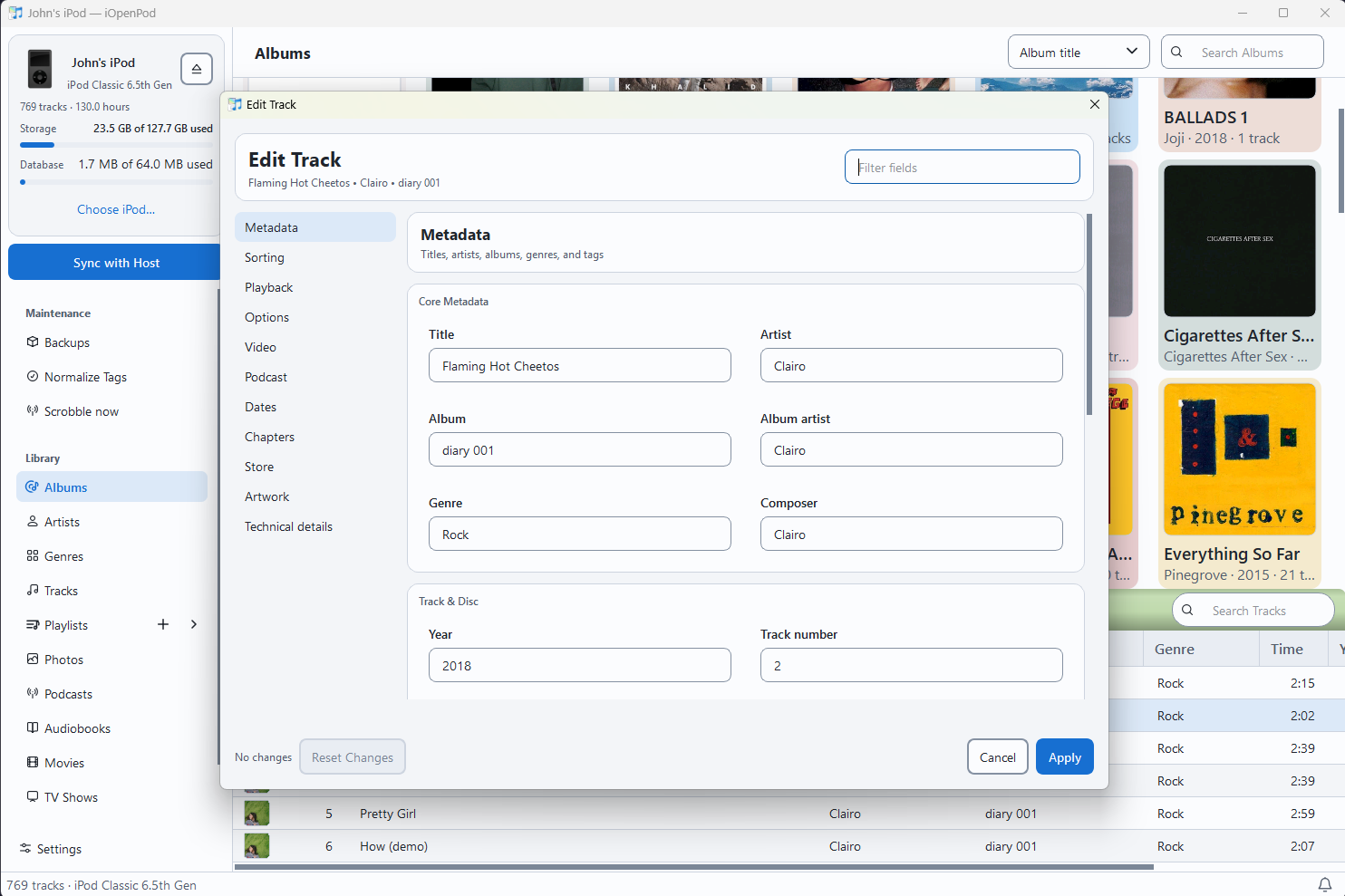
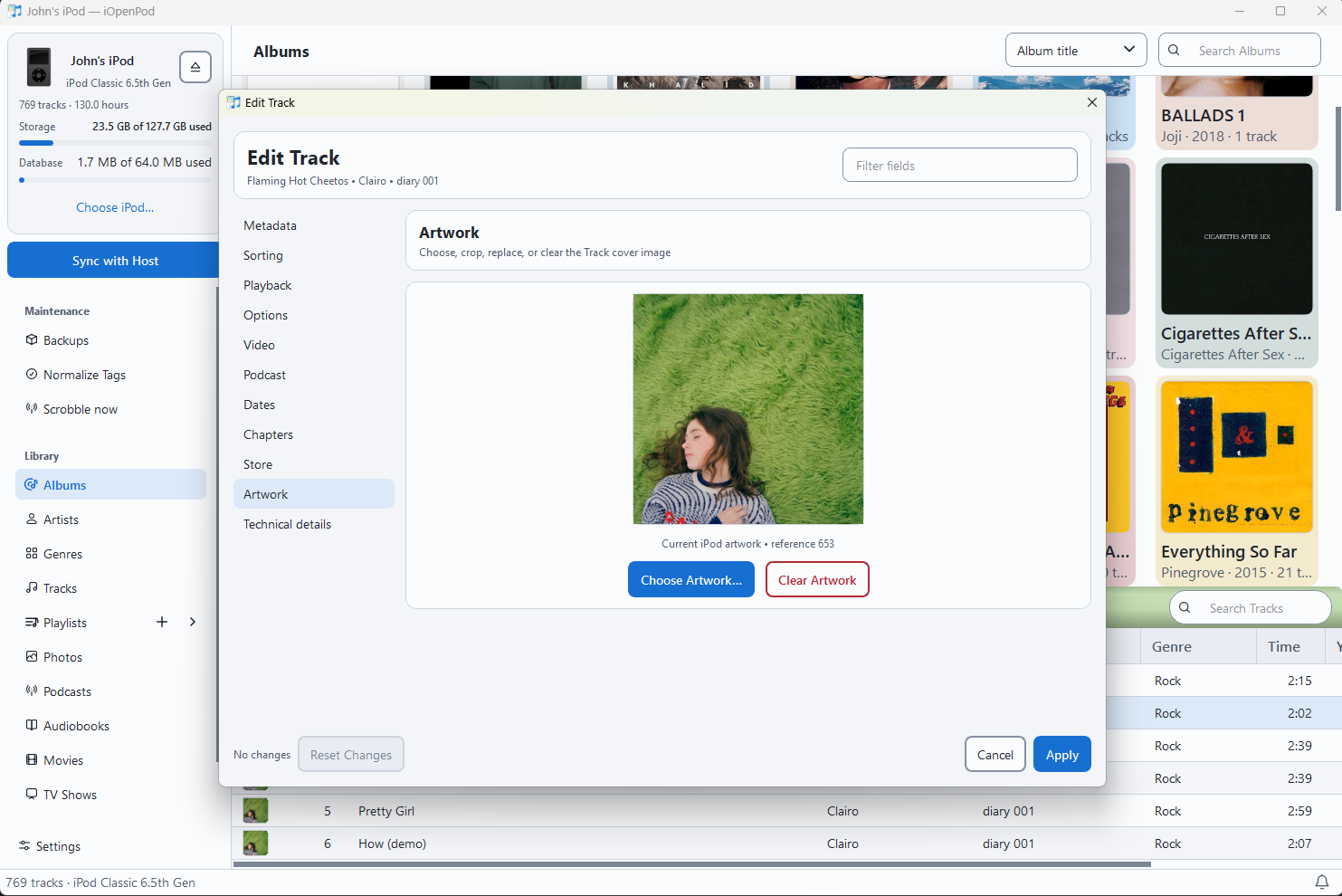
Albums, artists, genres, and tracks. Browse artwork, search your collection, and edit metadata and ratings.
-
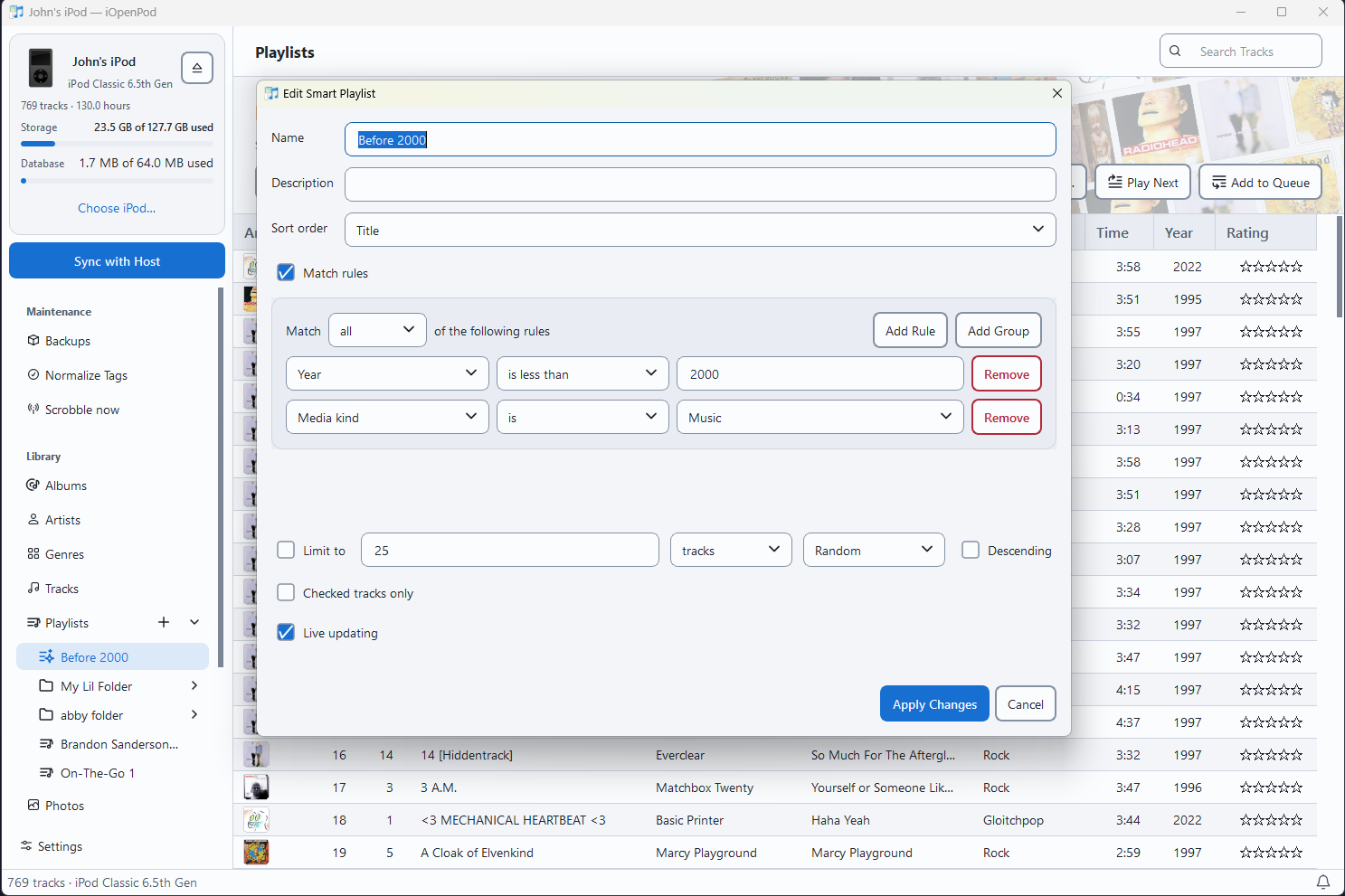
Playlists and Smart Playlists. Arrange tracks, organize playlist folders, and create rule-based selections.
-
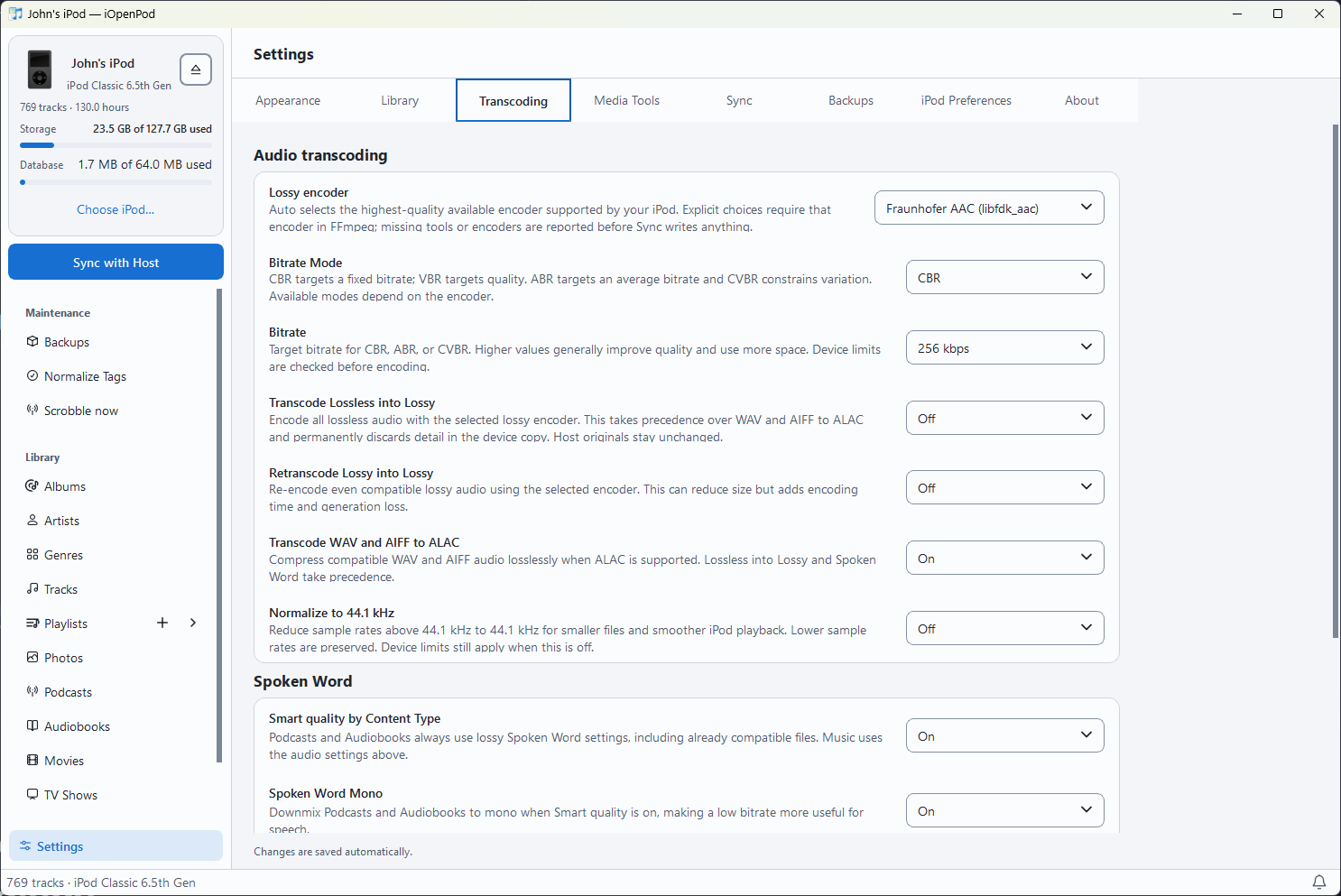
Automatic media conversion. Convert audio and video when needed and prepare artwork for your iPod model. Choose how incoming media is encoded in Settings.
-
Playback and Synesthesia. Listen to supported tracks with desktop media controls and explore music-reactive visuals.
-
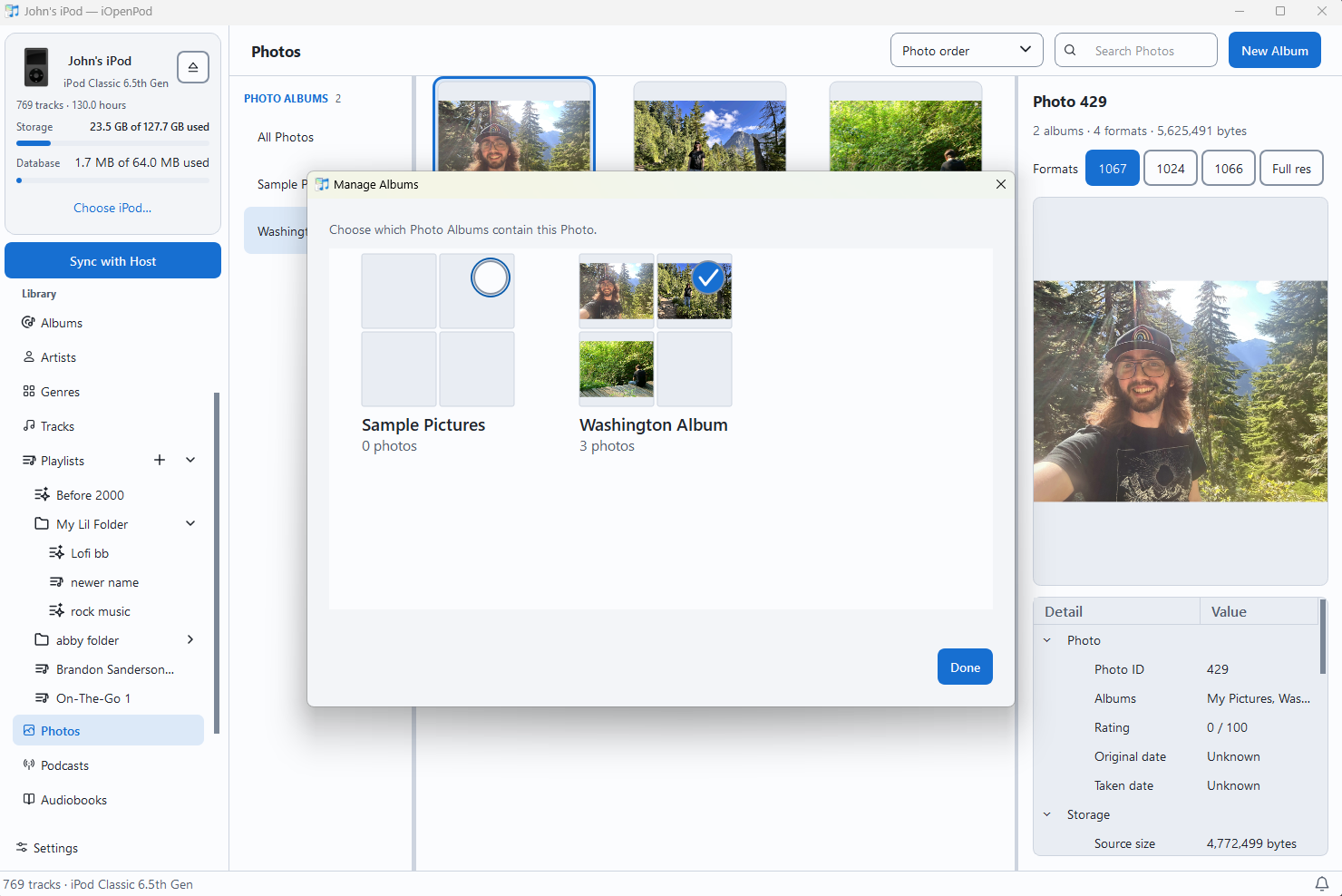
Photos. Browse Photo Albums, inspect device-sized images, and export retained originals and supported image representations.
-
Podcasts. Find shows, manage subscriptions, and refresh feeds and artwork. Online discovery requires an internet connection.
-
Scrobbling. Optionally submit iPod music plays to Last.fm and ListenBrainz.
-
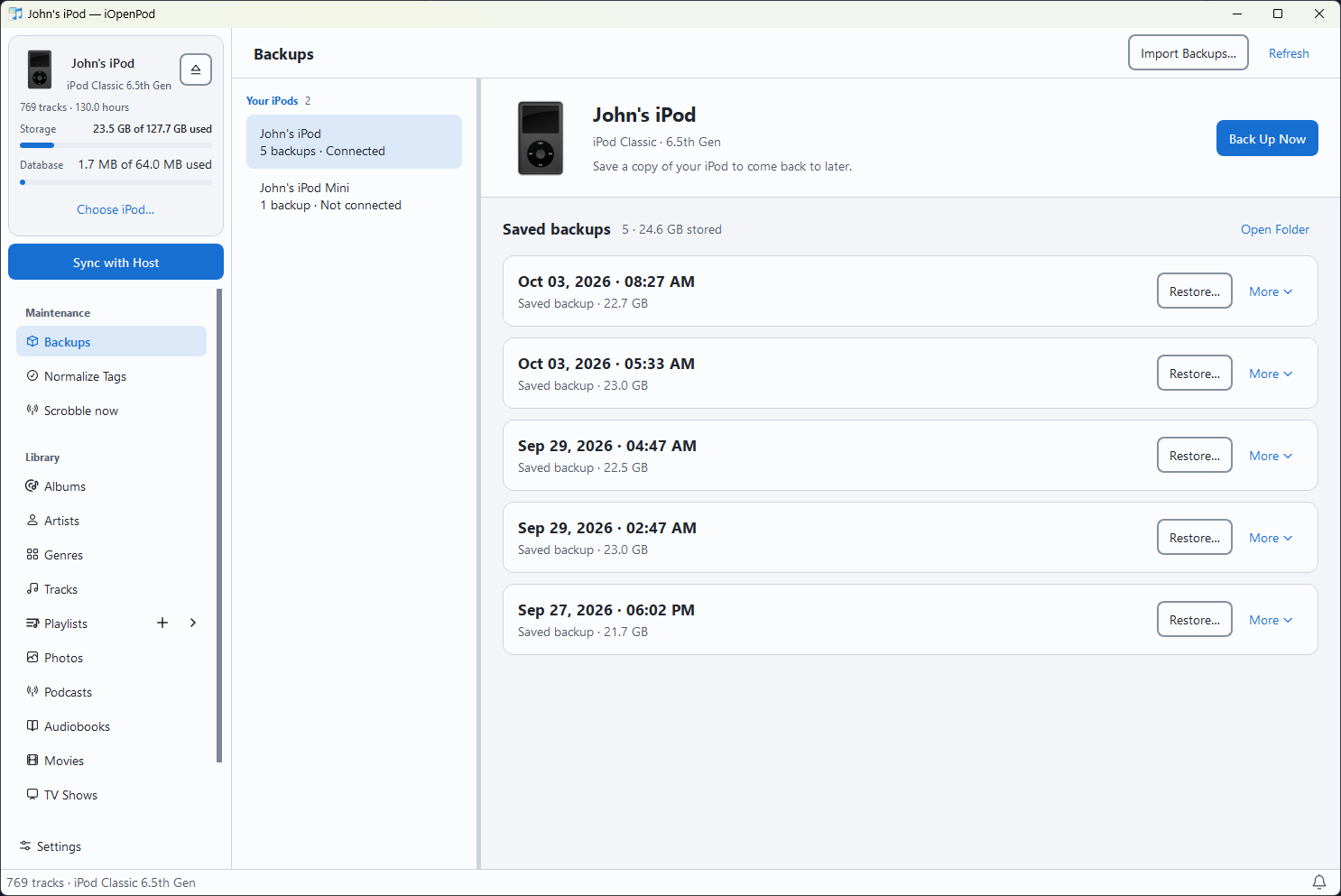
Backup Snapshots. Capture, browse, annotate, export, and restore local backups. Interrupted writes expose explicit recovery actions.
-
Appearance and conversion settings. Choose light, dark, or system appearance and configure how incoming media is prepared.
Library edits save automatically by default. Enable Draft all changes to review and save those edits together. Sync always has its own selection and review flow.
| Track metadata | Track artwork |
|---|---|
 |
 |
| Smart Playlists | Backup Snapshots |
|---|---|
 |
 |
- Connect your iPod and select it in the device picker. Your operating system must be able to mount and access it. Browse your library, play tracks, or edit metadata and playlists.
- Capture a Backup Snapshot of the data you want to preserve.
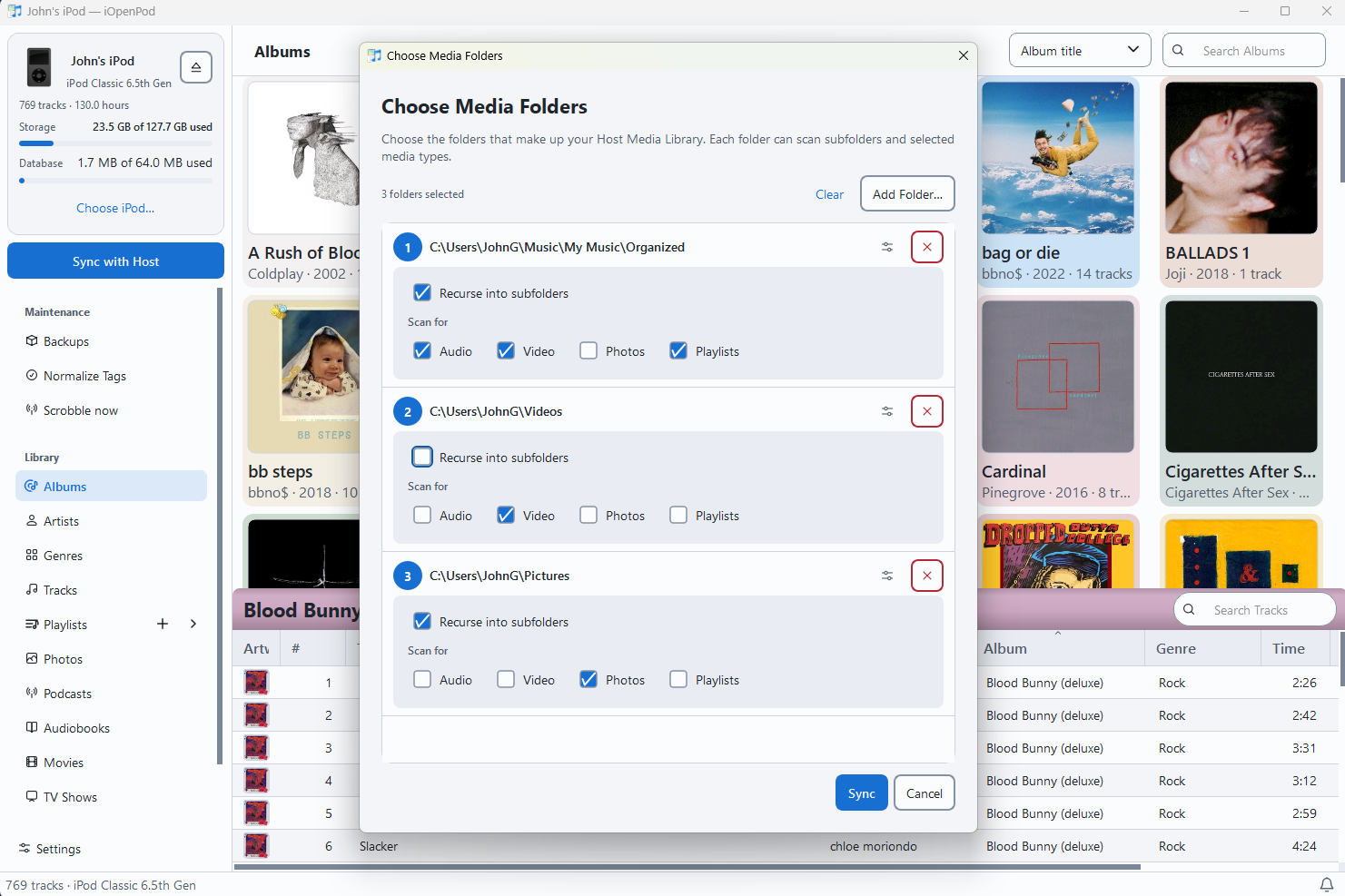
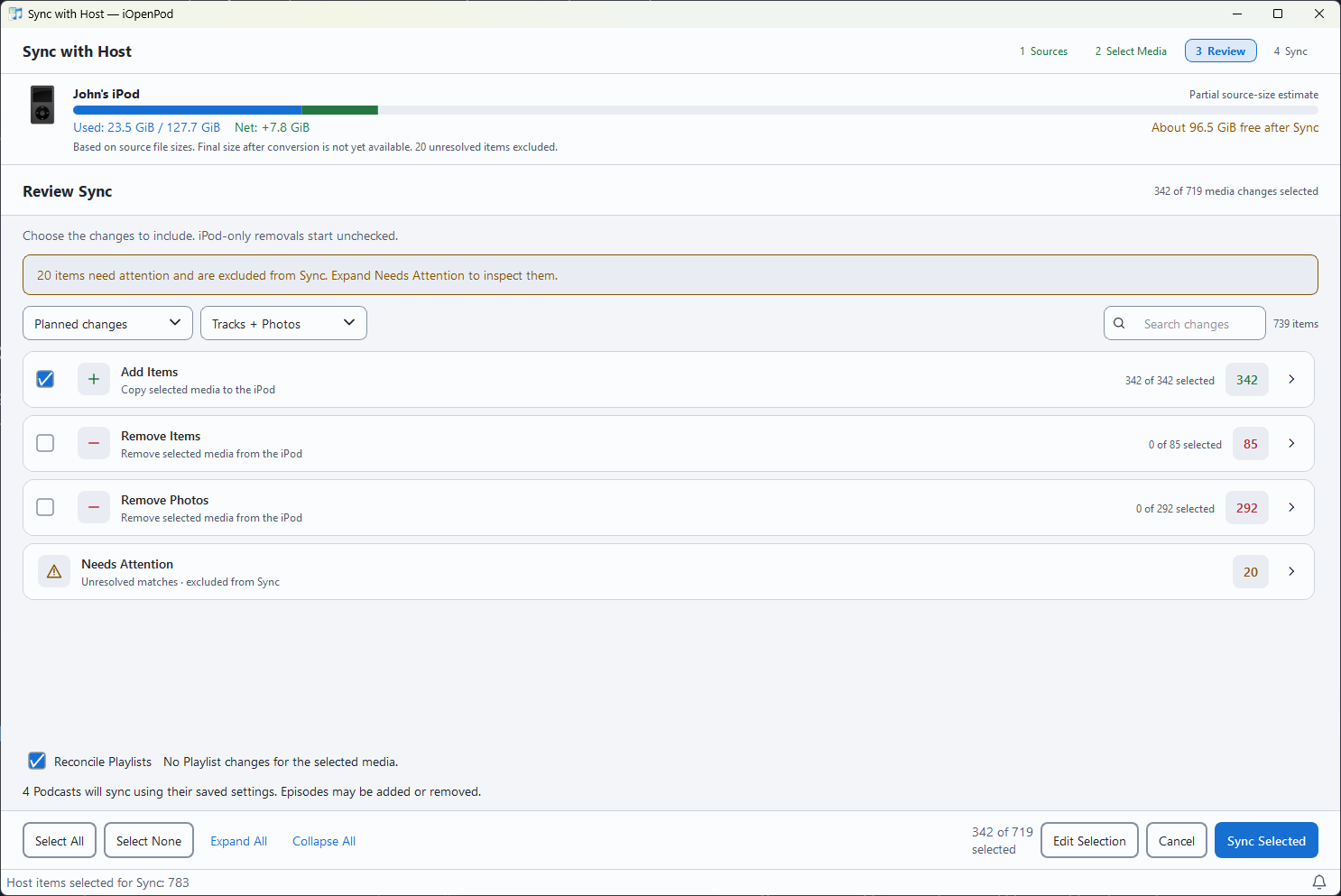
- Choose Sync with Host, add media folders, and select what to scan.
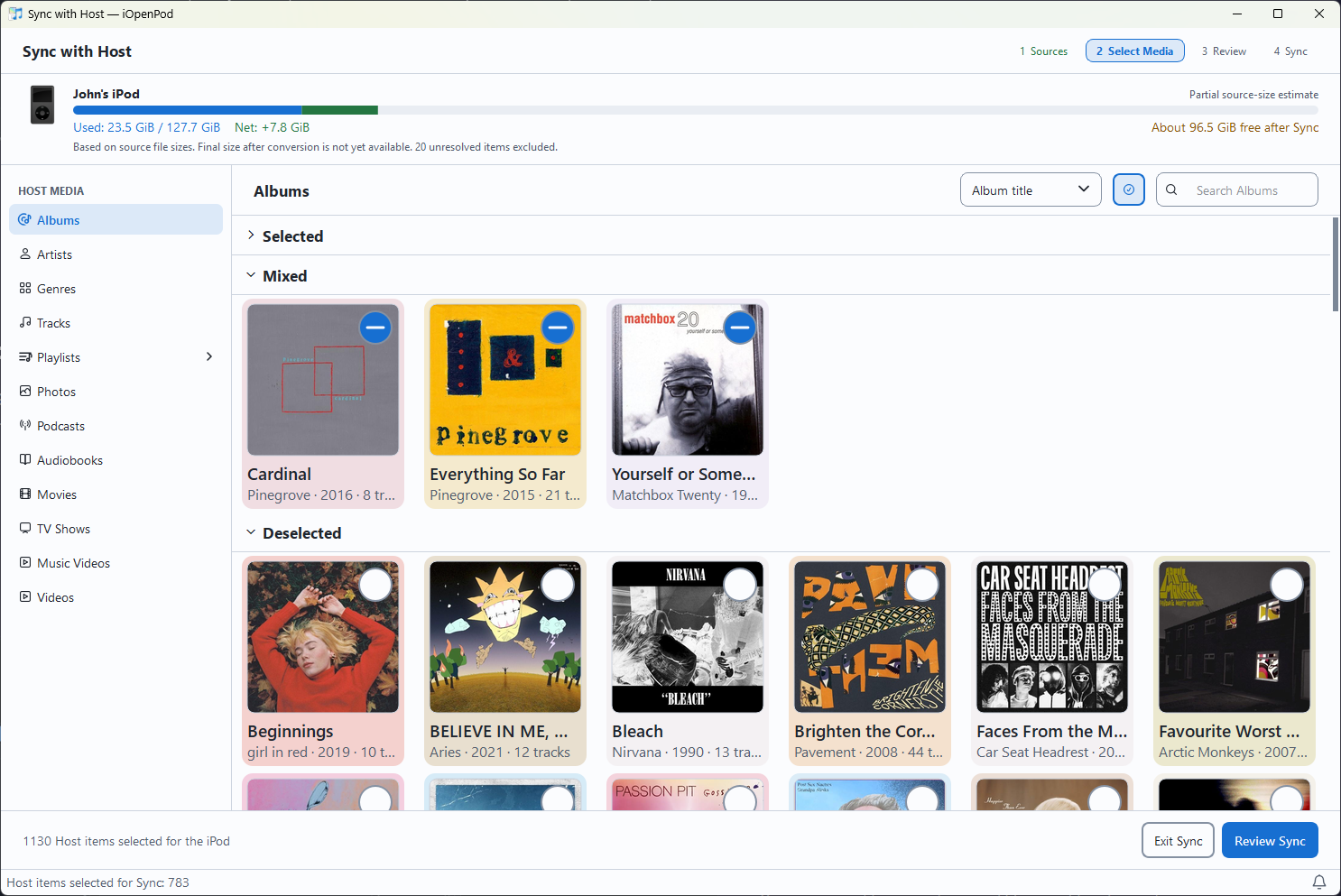
- Select your media, then review additions, updates, and removals. Removal candidates start unchecked.
- Sync Selected prepares compatible media and publishes verified changes. Use the app’s eject action when you are finished.
Optional acoustic matching helps recognize the same recording after format or metadata changes. Sync can also recognize media from a previous successful Sync without generating a new fingerprint.
| Media folders | Sync selection |
|---|---|
 |
 |
iOpenPod targets these iPod families. Available features depend on the model.
| Family | Target |
|---|---|
| iPod and iPod classic | Full-size generations 1–5.5 and the classic family |
| iPod mini | 1st and 2nd generation |
| iPod nano | 1st–7th generation |
iPod shuffle, iPod touch, and iPhone are not yet supported. The computer must already be able to read and write the iPod’s filesystem.
Clone the repository, open its directory, and use the locked UV environment:
uv sync --locked
uv run iopenpod
Before submitting changes, run the repository checks:
uv lock --check
uv run ruff format --check .
uv run ruff check .
uv run rumdl check .
uv run mypy
uv run pytest
Hardware testing, platform testing, reproducible bug reports, and focused pull requests all help. For bug reports, include your iPod model, operating system, iOpenPod version, and steps to reproduce the problem.
Keep each pull request focused on one change. Discuss proposed work in an issue or on Discord before starting, especially for major changes, so we can agree on the approach.
The application ships as one distribution with four internal boundaries:
| Package | Responsibility |
|---|---|
src/iOpenPod |
Application workflows, state, and GUI |
src/device_registry |
iPod identity and capabilities |
src/iPodDB |
iPod database formats |
src/storage |
Safe filesystem and removable-media operations |
Read AGENTS.md, the project context, and the documentation map before making substantial changes. Packaging covers native builds and store release gates; website maintenance covers screenshots and channel activation.
-
libgpod - C library for iPod database access (the reference implementation this project learned from)
-
gtkpod - GTK+ iPod manager
-
Rockbox - Open-source firmware replacement for iPods
iOpenPod works with the library on your iPod and media folders on your computer. Start by browsing the existing library and capturing a Backup Snapshot, then choose what to bring over in Sync Review.
-
No separate libgpod installation. iOpenPod uses its own Python iPod database implementation, informed by libgpod and gtkpod research.
-
All features are free. Donations support development without unlocking features.
-
Review before writing. Sync shows planned changes, with removals unchecked by default. Backup Snapshots are user-controlled, and interrupted writes have explicit recovery actions.
iOpenPod is free and open source. Donations are optional and help support development.
Licensed under GPL-3.0-or-later. All features are free; optional donations support development without unlocking features. See LICENSE, COPYING.md, and ACKNOWLEDGEMENTS.md for the license grant and third-party credits, including HASHAB, libgpod, and gtkpod research. The application icon has separate permission terms documented with its assets.
Independent software, not affiliated with or endorsed by Apple Inc. iPod and iTunes are trademarks of Apple Inc.