


Some agents just want to watch your tokens burn.
burnie is a local cost analytics tool for Claude Code. It reads the session transcripts Claude Code stores on disk and tells you not just how much your sessions cost, but whether a given session was abnormally expensive, and what you can say about why.
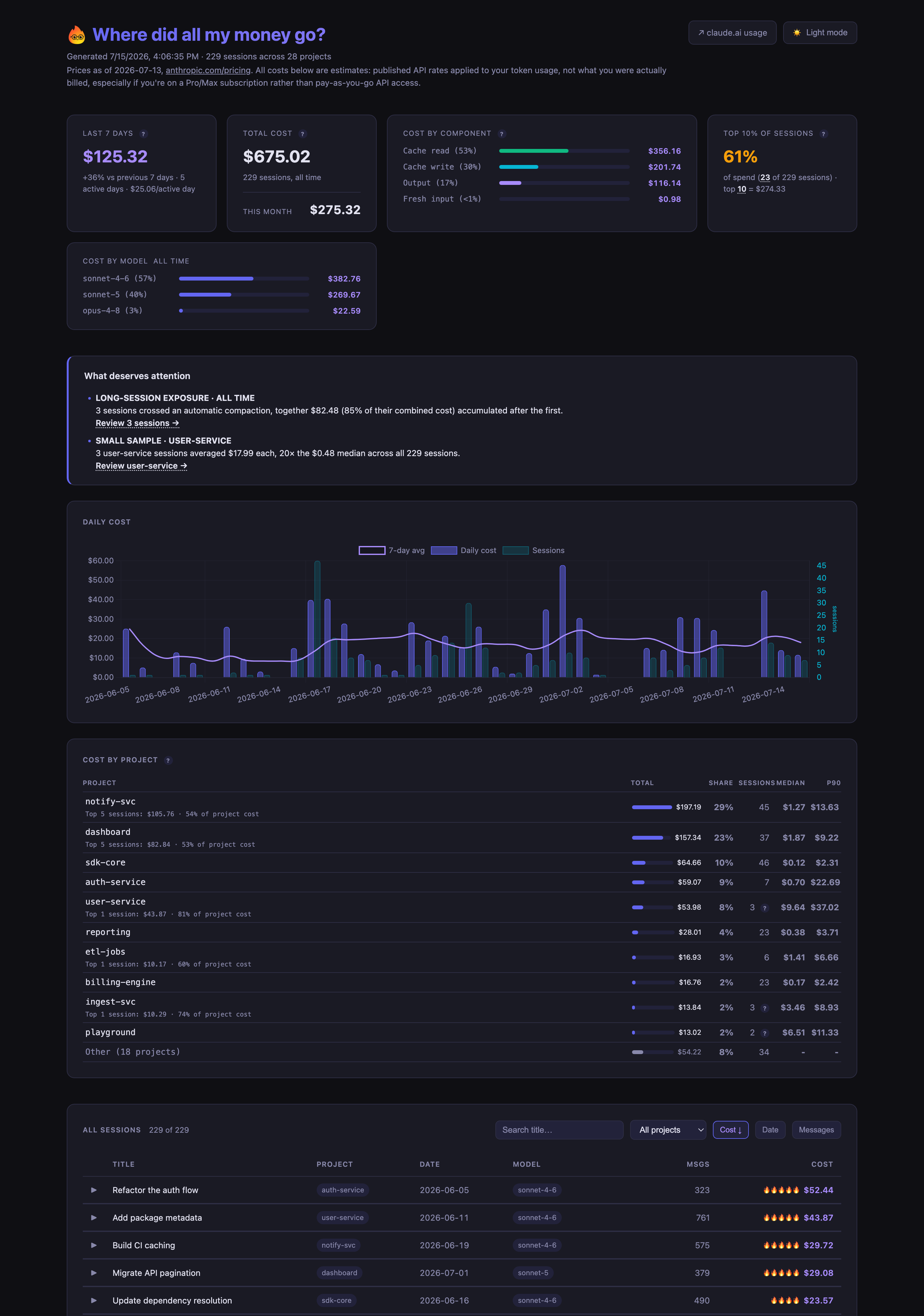
- Report: a visual HTML breakdown of token costs across all your Claude Code sessions, covering total spend, daily average, cache savings, and cost by model and by project.
- Inspect: drill into any session to see what drove the cost, including context growth over time, tool call patterns, agent spawns, repeated operations, and how it compares to similar sessions.
- Analyze: the
/burnieskill runs a condensed report through Claude for a written, reasoned take on where your cost is coming from and what (if anything) is actually worth changing. - Statusline: shows the active session's running cost live in Claude Code's terminal UI, escalating 🔥 as it gets pricey.
# run without installing
uvx burnie

# or install as a persistent command
uv tool install burnie
No uv? pip install burnie works too.
Then get the /burnie skill into Claude Code:
burnie --install-skill# Generate HTML report
burnie
# Highlight a specific session in the report
burnie --session <session-id>
# Markdown report instead of HTML
burnie --markdown
# Condensed, LLM-readable report printed to stdout (what the `/burnie` skill uses)
burnie --raw --session <session-id>The report is written to burnie-report.html in the current directory and opened in your browser. --markdown writes burnie-report.md instead. --raw prints straight to stdout with no file.
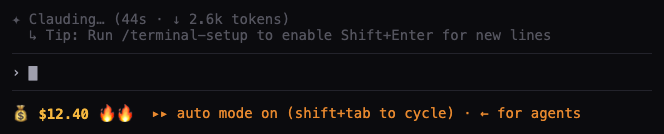
burnie --install-statuslineConfigures Claude Code's statusLine to show the active session's running cost, refreshed every second, e.g. 💰 $12.40 🔥🔥. This only works in Claude Code's terminal UI, not the VS Code extension (it has no equivalent status surface for this).
- The dollar figures are API-equivalent costs, from Anthropic's published API rates. They are not necessarily what a Pro or Max plan bills you. Read them as "what this usage would cost at API prices," good for comparing sessions, not an invoice.
- The report is generated entirely on your machine. No API key, no account access, no data leaves your computer. burnie only reads the JSONL files Claude Code already wrote to disk.
- The optional
/burnieskill passes the condensed report to your own running Claude Code session for analysis. That stays local to your session, not a call to any burnie backend (there isn't one).
Claude Code writes every session to a JSONL file at:
~/.claude/projects/<encoded-project-path>/<session-id>.jsonl
Each assistant turn includes token usage. burnie reads those files, applies current model pricing (bundled with the package and updated periodically as Anthropic changes its rates), and surfaces the data.