 webOTP - Web-based Encrypted One Time Password Generator


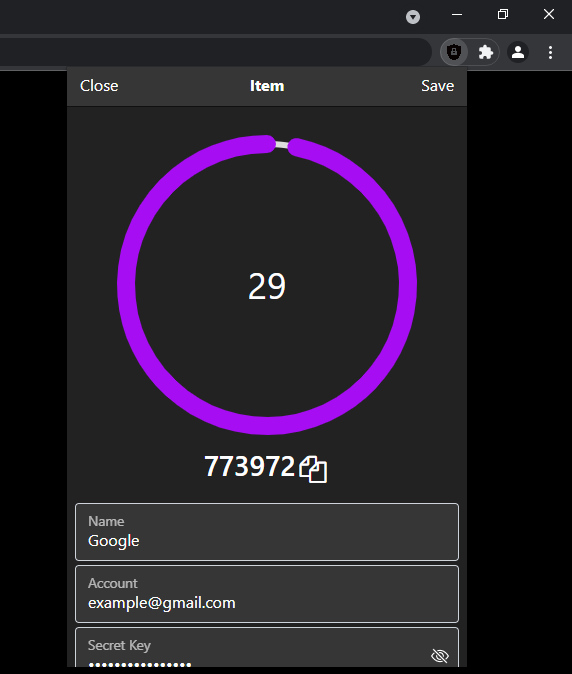
- AES-GCM encrypted vaults with PBKDF2 key derivation and automatic migration from legacy vault records
- TOTP and HOTP QR import, drag-and-drop QR scanning, live codes, countdowns, search, and one-key copying
- Browser-page OTP detection and autofill through a Manifest V3 service worker
- Encrypted and decrypted vault export, local accounts, and configurable locking preferences
The extension uses Chrome Manifest V3 APIs and requires the storage,
contextMenus, and active-tab permissions listed in src/manifest.json.
- Download this zip file
- Extract the webOTP-main.zip file
- Open chrome://extensions
- Turn on developer mode
- Click Load Unpacked
- Select webOTP-main/src folder
The project is incrementally migrating to TypeScript and Deno. Install Deno, then run:
deno task buildto copy the existing extension intodist/and bundle the new TypeScript library.deno task testto run the library tests.deno task licensesto regenerateopen-source-components.mdwhile preserving manual logo and icon attribution.deno fmt --checkto verify formatting.deno lintto run static checks.deno testto run the test suite.
The existing src/ directory remains loadable as an unpacked extension during
the migration. The generated dist/ directory is also loadable as an unpacked
extension after a build.
- Fork it (https://github.com/faizath/webOTP)
- Create your feature branch (git checkout -b my-new-feature)
- Commit your changes (git commit -am 'Add some feature')
- Push to the branch (git push origin my-new-feature)
- Create a new pull request