Visit the Flux website → fluxsci.github.io
A local-first desktop studio for scientific work: turn plots into figures, figures into papers and presentations, and keep your references and reading alongside them. Your projects stay in ordinary files on your own machine.
Install · User guide · Interactive slide demo · Report an issue
Status: early v0.1, under active development. Start from source using the instructions below; public installers have not been published yet.
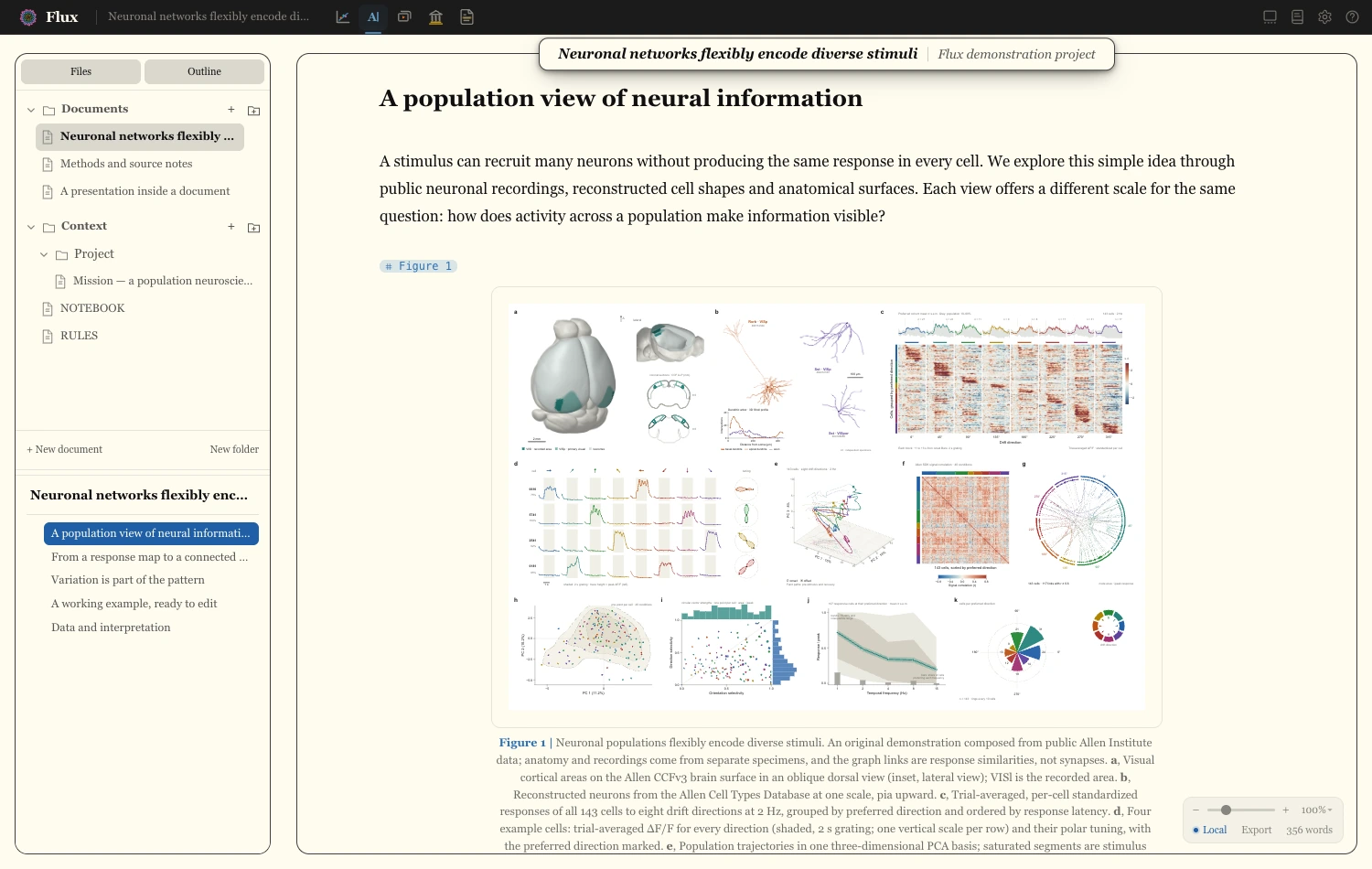
Write with your figures, captions, and citations in context.
- Paper — write Markdown/Quarto manuscripts with live figures, citations, tables, and inline slides; export to HTML, Word, or PDF.
- Figure — assemble multi-panel figures, edit plot parts, label and align panels, and keep styling when source plots regenerate.
- Slide — reuse figures in presentations, animate plot elements and data transitions, add video clips, and export portable HTML or render a slide to MP4.
- Library — organize references and PDFs across projects, import BibTeX/RIS, connect Zotero, and search full text.
- Reader — read PDFs side by side, highlight passages, attach notes, and export annotations.
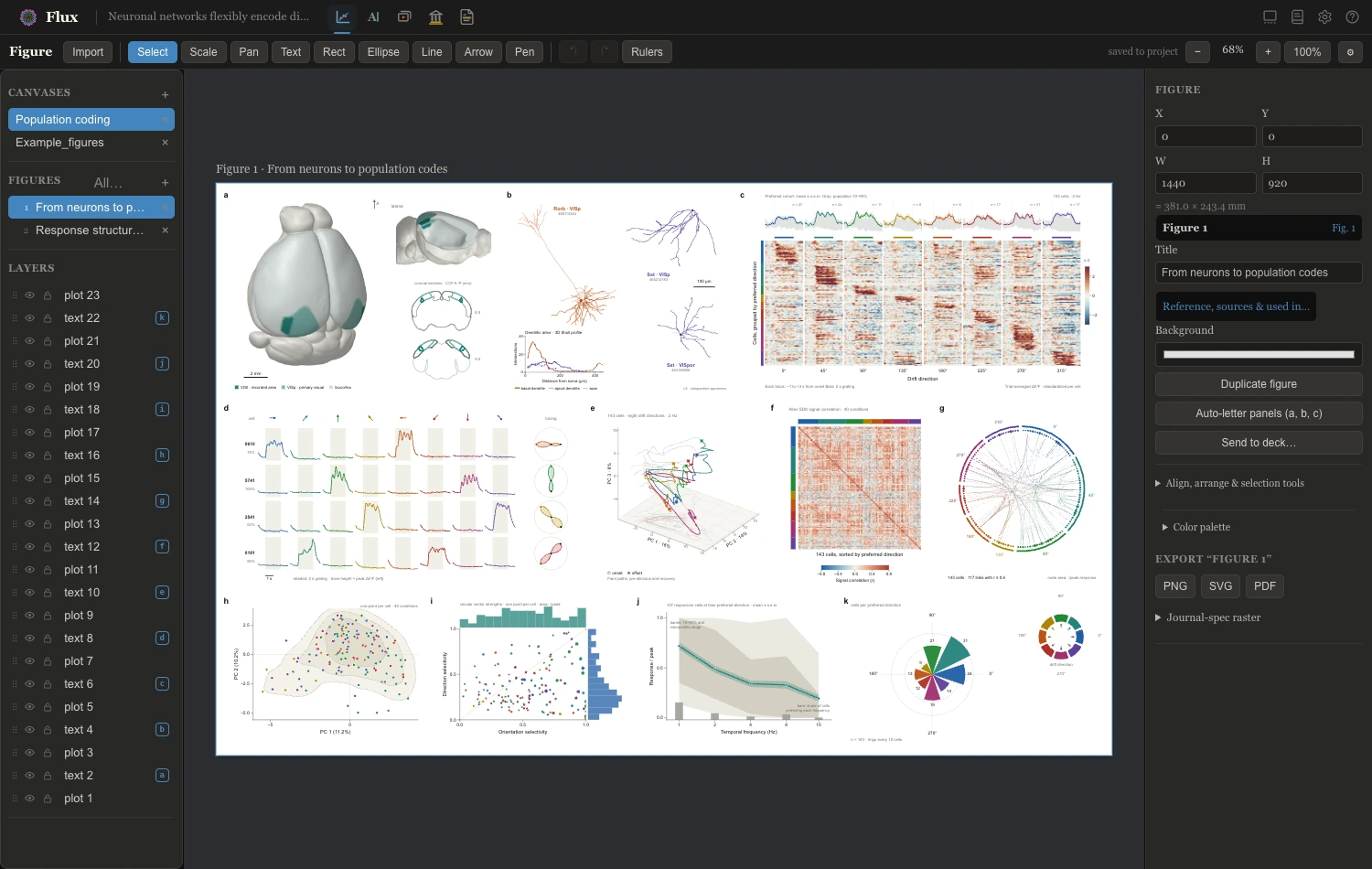
Assemble publication figures from plots you can still edit. Both screenshots use the website's neural-populations example project.
A Flux project is a folder containing readable Markdown/Quarto, JSON, SVG, and media files. Flux autosaves and watches for external edits, so analysis scripts, Git, and editors can work with the same project. Local editing and reading work offline; online reference services and external agent providers use their own connections.
For plots that retain named series, data, and regeneration recipes, use fluxplot, the companion Python library. Flux also imports ordinary SVGs and raster images. See semantic plots for the difference.
Install Git and Node.js 22 (22.15 or newer). The repository's .nvmrc
selects Node 22; if you use nvm, run nvm install and nvm use after cloning.
On macOS, install Xcode Command Line Tools once with xcode-select --install.
git clone https://github.com/fluxsci/flux.git
cd flux
npm ci
npm run fetch:video-encoder
npm run electron:dev
This opens the desktop app with live reload. Keep the terminal running while you use it; press Ctrl+C to stop. The encoder download enables video import and MP4 export in a source checkout. Use the Electron window for the full desktop experience.
From the Home screen, create a project or open the example project from the website. The getting-started walkthrough takes you through a first project, from reading a paper to exporting a manuscript.
| Capability | Additional setup |
|---|---|
| Export manuscripts to HTML or Word | Install Quarto. |
| Export manuscripts to PDF | Install Quarto and a TeX distribution, such as TinyTeX (quarto install tinytex); see the install guide for SVG support and journal-style packages. |
| Generate semantic plots with Python | Set up fluxplot in your analysis environment. |
| Work with an assistant in Flux | Install and configure your preferred agent CLI; see agent collaboration. |
The full installation guide covers platform setup, companion tools, and troubleshooting. There is also an agent-assisted macOS setup runbook.
Install Quarto, then run the command for your platform from the source checkout.
The build includes the existing user guide for offline access. Output goes into release/.
# macOS: DMG and ZIP for Apple Silicon and Intel
CSC_IDENTITY_AUTO_DISCOVERY=false npm run dist:mac

# Linux: AppImage and Debian package
npm run dist:linux
For an unpacked app, use npm run pack. Windows installers are not currently
provided. Check GitHub Releases for
published builds as they become available.
Maintainers: qualification procedure and V0.2.0 implementation evidence describe the required checks and remaining platform qualifications. Building a package does not publish or certify a release.
Flux includes a CLI and a Model Context Protocol (MCP) server for working with projects from scripts and assistants. They share operations with the desktop app; the live bridge also lets an agent work with the current selection through undoable edits.
# Run these from the Flux source checkout
npm run flux -- help
npm run flux -- list --root /path/to/project
npm run flux:mcp -- /path/to/project
See the CLI reference and agent collaboration guide for figure composition, plot regeneration, library access, exports, and live app controls.
- User guide — all five modes, integrations, and concepts.
- Keyboard shortcuts — navigation and editing.
- Issues — bug reports and feature requests. Include your OS, Flux commit/version, and steps to reproduce; a small example project is especially useful.
- Engineering guide — architecture, invariants, and verification. Read it and AGENTS.md before contributing.
The app uses Electron, Svelte, and TypeScript. Useful development commands:
| Command | Purpose |
|---|---|
npm run electron:dev |
Desktop app with live reload. |
npm run check |
Svelte and TypeScript checks. |
npm run test:pure |
Core regression suite. |
npm run test:ui |
Browser-driven UI regression suite. |
npm run build |
Production renderer, extension, export assets, and CLI/MCP bundles. |
npm run release:check |
Packaging and release verification. |
Some checks need Chrome/Chromium; set FLUX_CHROME to its executable if it is not
at the default Linux path. The engineering guide explains the test tiers and
feature-specific gates. To browse the documentation locally, run quarto preview docs.
Lighttable, the image-set viewer in lighttable/, is a
separate companion app with its own installation and tests.
MIT © Kort Driessen.