
A local Filipino-inspired AI coder that brings imagination and speed to your VS Code workflow.
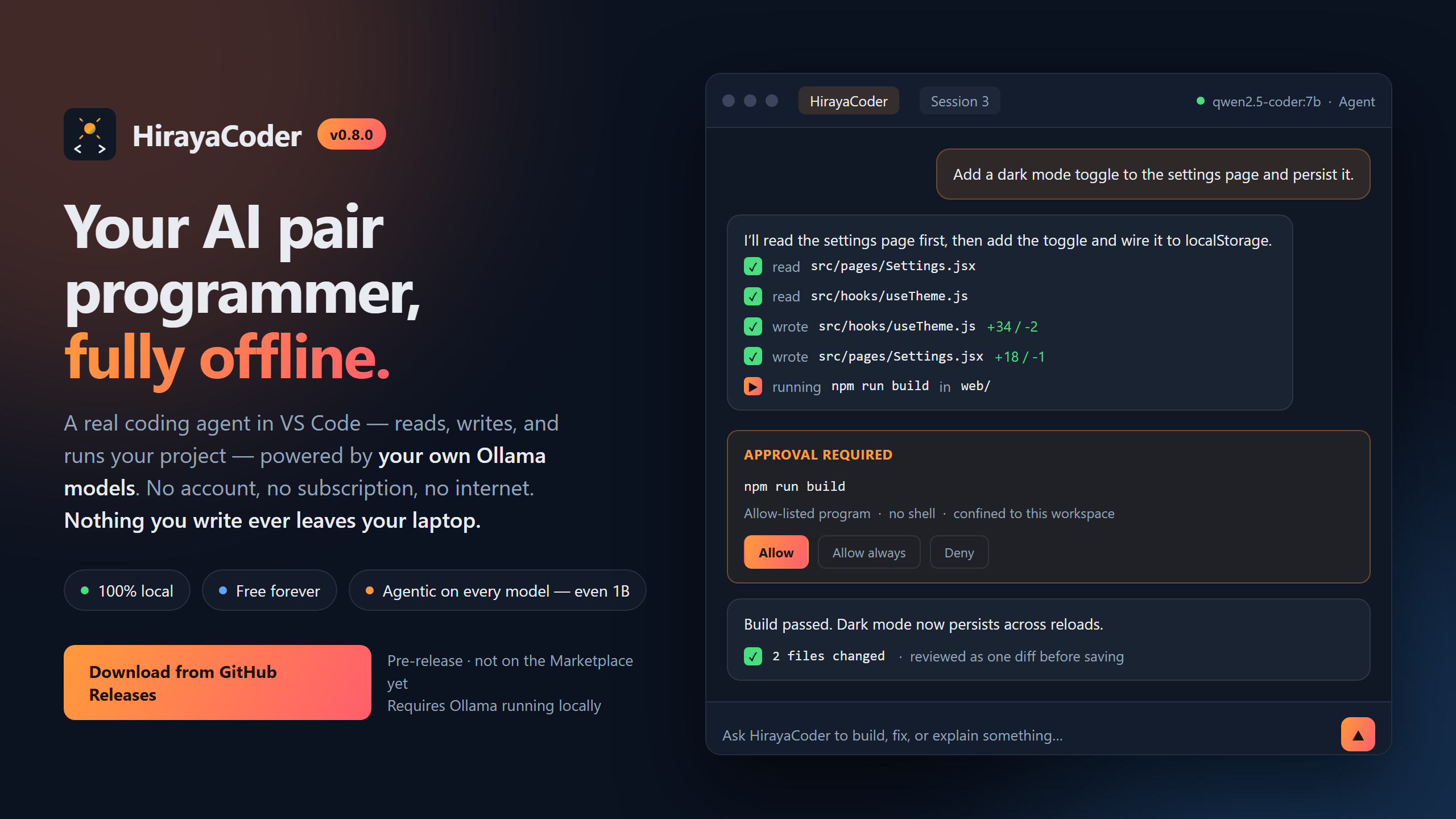
HirayaCoder is a free AI coding assistant that runs entirely on your own computer. You type what you want in plain English, and it writes and edits the files for you. No account, no subscription, no internet connection, and nothing you write ever leaves your laptop.
Hiraya (Filipino): imagination, aspiration, the spark of an idea before it becomes real.
Not on the Marketplace yet. Releases are published as a
.vsixon the Releases page and installed with one command. See step 4.
You open a folder, type "make me a webpage with a to-do list", and it creates the files, writes the code, and shows you every change before saving anything. Then you keep talking to it: "make the buttons blue", "add a delete button".
It runs the AI model on your own hardware through Ollama, so it works with your Wi-Fi switched off. That is the whole point of it.
Attach a screenshot, a photo, or a sketch to your message, and HirayaCoder reads it.
- Ask a question about it. "What is this error saying?"
- Give it a job. "Build the screen in this mockup." The picture becomes part of the task.
The useful part is that this works even if your coding model cannot see. Most AI models only handle text. A few, called vision models, can also take an image. If the model you picked is a text-only one, HirayaCoder quietly hands the picture to a vision model instead, gets back a written description of what is in it, and passes that description to your coding model. You do not have to switch models.
If nothing you have installed can read images, one command fixes it:
ollama pull minicpm-v4.6That is 1.6 GB, and it sits alongside whatever you already use for coding.
You can always see what it read. Under your message there is a panel showing the exact description the vision model produced. Open it when an answer looks wrong, because it tells you whether the picture was misread or the answer was.
Full detail, including what it is bad at, is in IMAGE-RECOGNITION.md.
Read this part. It is the honest description of the tool, and it will save you an evening if this is not what you need.
It is not as clever as a paid cloud assistant. It runs a small model on your own hardware. Small models handle ordinary, specific tasks well and vague, large ones badly. Ask for one page, one feature, or one fix at a time and it does a decent job. Ask for "a full social media app" and you will be disappointed.
It does not finish a whole application. This is measured, not guessed. On a brief for a complete React app, a small model scaffolds the project, writes every file you named, and installs the dependencies. Then the build fails, and no model at this size finished the app in any of our test runs.
It is slow. On a 16 GB laptop with no graphics card, expect one to five minutes for an ordinary task. A graphics card makes it faster, not smarter. A bigger model makes it smarter, not faster.
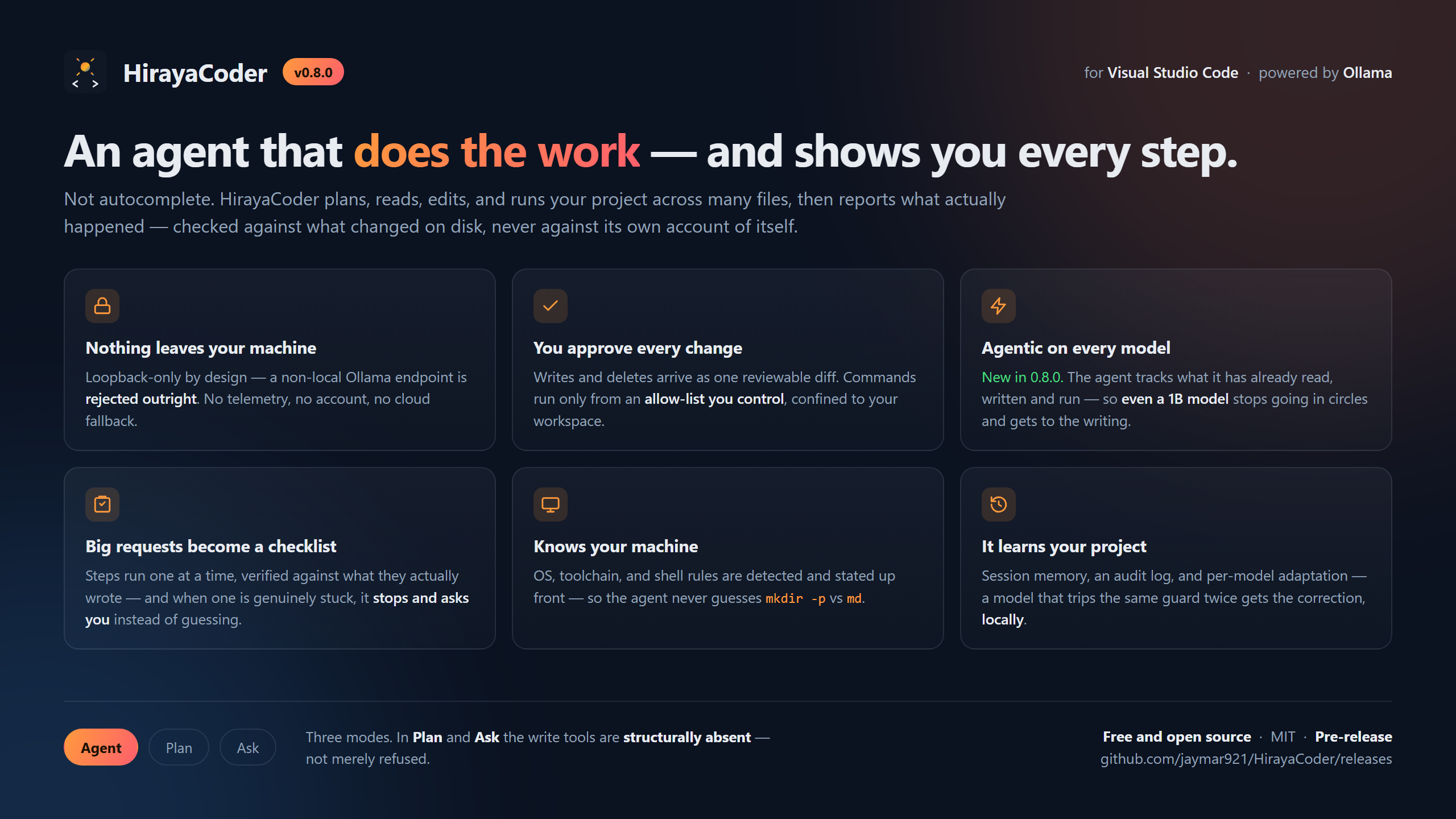
It never goes online. No cloud models, no looking things up, no fetching documentation. The only address it will connect to is your own machine.
It cannot leave the folder you opened, and it only runs commands from a fixed list
(node, npm, git, pytest and about twenty more). There is no shell, so &&, |
and > are refused rather than interpreted.
Small models make specific mistakes. They repeat themselves, they report success having written nothing, and they occasionally write a file that parses fine but has an export deleted. There are checks for each of these, and the checks catch most of it rather than all of it.
Image reading is approximate. Large text and obvious subjects are reliable. Small text in a screenshot, exact numbers, and precise layout are not, and a misread arrives as a confident paragraph rather than as an apology.
The full version, including everything that is a deliberate design choice rather than a shortcoming, is in LIMITATIONS.md.
The question that matters is how much RAM you have. You do not need a graphics card.
| Your computer | Will it work? | What to expect |
|---|---|---|
| 8 GB RAM | Just barely | Slow, simple single-file tasks only |
| 16 GB RAM, no graphics card | Yes, this is what it was built for | A task takes 1 to 5 minutes |
| 16 GB+ with a gaming graphics card | Comfortably | A task takes 20 to 60 seconds |
| Mac with Apple Silicon (M1 to M4) | Very well | A task takes 10 to 30 seconds |
To check on Windows: press Ctrl+Shift+Esc, click Performance, then Memory. On
a Mac: Apple menu, then About This Mac.
Four steps. The full walkthrough explains each one properly if you want it.
1. Install VS Code, version 1.85 or newer.
2. Install Ollama and leave it running. It has no window. It just sits in your system tray, and that is normal.
3. Download a model. Open a terminal and paste one line:
# 16 GB RAM or more, the best all-round choice. Reads images too
ollama pull gemma4:e2b

# 8 GB RAM, or if the above is too slow
ollama pull llama3.2:1b
4. Download the .vsix from the
Releases page and install it:
code --install-extension hirayacoder-<version>.vsixThen open a folder in VS Code (this is required, it refuses to work without one), press
Ctrl+Shift+H, and type something. Good first tries:
make a webpage that says hello with a big blue buttoncreate a simple to-do list app in one HTML fileexplain what this project does
There is a Guide button in the chat header that repeats all of this from inside the extension.
There is a row of buttons at the top of the chat. Agent is the default and is what you want most of the time.
| Mode | Use it when |
|---|---|
| Agent | You want it to write or change files. The normal choice |
| Plan | You want to see what it would do first, without it touching anything |
| Ask | You just have a question |
You do not have to switch to Ask to ask something. If you say "hello" or "what does this file do", Agent mode notices and just answers.
This is the main reason to choose this over the alternatives, so it is worth being blunt.
- Nothing you type or open is sent anywhere. The extension only ever talks to
127.0.0.1, which is your own computer. A non-local address is rejected in the code itself, before any connection is opened. - No account, no sign-up, no telemetry. Nobody is counting your keystrokes.
- It works with your Wi-Fi off. Try it. That is the proof.
- The AI cannot leave your folder. Every file operation is confined to the folder you opened.
- No third-party code ships in the extension. Zero production dependencies.
Full detail in SECURITY.md.
| Getting started | The complete first-run walkthrough |
| Using it day to day | Modes, watching a run, and the habits that make small models work |
| Reading images | Attaching screenshots and photos |
| Limitations | What it cannot do, by design and otherwise |
| Troubleshooting | When something goes wrong |
| Choosing a model | Which one to download, in plain language |
| Tutorial | A longer, friendlier walkthrough |
For developers: Developing · Architecture · Features and settings · Measurements · Security model · Benchmarks
Needs Node.js 18 or newer.
npm install
npm run test:all     # lint + unit + integration, against a real VS Code
npm run package      # builds builds/v<version>/hirayacoder-<version>.vsix
Contributions are welcome, with one hard rule: pull requests only, never push directly
to main. Read
CONTRIBUTING.md
first, and see
DEVELOPING.md
for what is worth knowing before you change the agent loop.
This project was scaffolded from a single structured specification designed for AI coding agents. See PROMPT.md for the full build order, feature list, and security requirements.
Built by jaymar921. Practical, resourceful, and made for real hardware rather than top-spec dev machines.
Licensed under the terms in LICENSE.