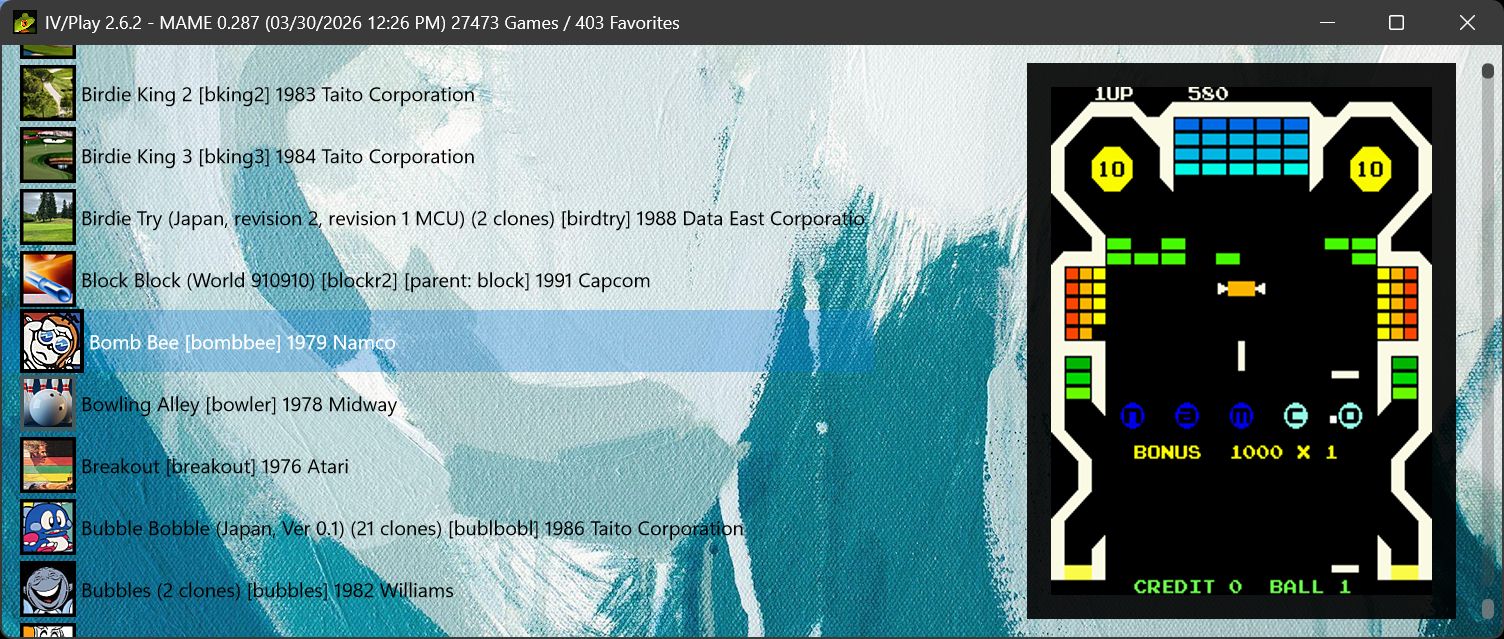


IV/Play (pronounced 'Four Play') is a keyboard-driven front-end for MAME™ in the tradition of MAMEUI. Conceived in 2006 and commissioned in 2011 by John IV of the original MAMEUI team, it keeps MAMEUI's navigation and shortcuts and rebuilds everything underneath for modern Windows PCs: a DirectX 11 / Direct2D renderer, a self-contained Native AOT executable, and a library that is ready to browse about a second after launch.
IV/Play launches MAME or HBMAME; it leaves the emulator's own configuration to the emulator.
Latest release: {{VERSION}} — Homepage & Download
- Instant and smooth. A fully populated list about a second after launch, and every pixel drawn on the GPU, so scrolling through tens of thousands of machines never judders.
- A filter that understands you. Type
capcom late 90s no clones,2 screens lightgunor"king of fighters", and mix in field searches such asmanufacturer:sega workingstatus:imperfectwhen you want precision. - Arcade and software lists together. More than 140,000 console and computer titles from MAME's software lists are searchable alongside the arcade machines:
name:zaxxonfinds the arcade game and its home ports. - Know what you can play. The Available and Missing lists audit your ROM folder, and Available keeps itself current as ROMs come and go. Arcade Only, Favorites, a Hidden list and your own custom lists cover the rest.
- History at your fingertips. History, MAMEinfo and category data are built into search (
genre:,history:, first MAME version) and one keypress away in the DAT Peek overlay. - Looks that follow your art. Dynamic themes derive text, border and scrollbar colors from your background image, and the interface stays sharp at 4K and across monitors with different scaling.
- Benchmarking built in. Benchmark one game or a whole suite, interactively or unattended from the command line, and keep a history you can open in Excel. See the MAME benchmarks page.
- Portable, nothing to install. One self-contained executable with no .NET runtime to install. Your favorites, custom lists and benchmark history live beside it and survive cache rebuilds and factory resets.
- Unpack
IV-Play.exeande_sqlite3.dllinto your MAME folder, alongsidemame.exe. - Launch
IV-Play.exe. It findsmame.exe(or asks you to locate it) and builds its database and caches on first run. - From then on it is ready in about a second. Press
F1to configure,Ctrl+Fto filter andEnterto play. Using HBMAME or a differently named build?F4links any executable.
- Windows 11 preferred.
- A DirectX 11 GPU, a multi-core CPU and an SSD/NVMe drive are strongly recommended.
- MAME or HBMAME. No .NET installation is required.
| Key | Function |
|---|---|
Enter |
Launch the selected game. |
Ctrl+F |
Filter the list. |
F1 |
Configuration. |
Alt+P / Tab |
Change view: list, large icons, grid or flat. |
Alt+Ins / Del |
Switch game list: Full, Arcade Only, Available, your own lists. |
Ctrl+D |
Add or remove a favorite. |
~ (Tilde) |
DAT Peek: history and MAMEinfo for the selected game. |
Alt+Enter |
Properties of the selected game. |
Ctrl+B / F9 |
Benchmark the selected game / run the benchmark suite. |
F5 |
Refresh from MAME and rebuild caches. |
Most keys can be rebound in F1. The full keyboard reference is in the User Guide.
- Creator & Designer (2006-Present): John L. Hardy IV
- Legacy v1 Codebase (2011–2016): Matan Bareket