
A modern program for getting information about computer hardware and installed software.







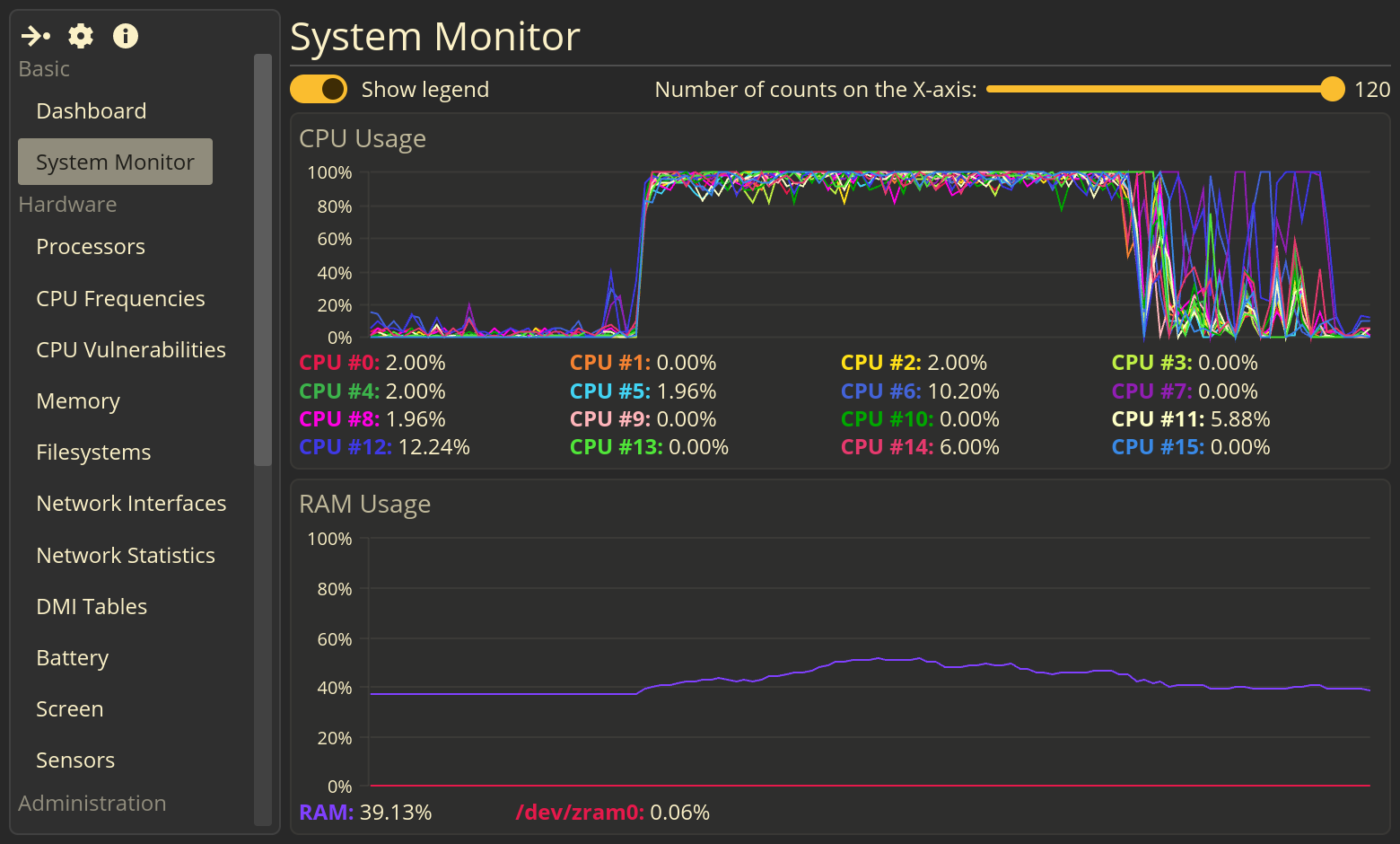
FSM is a modern system profiler. Is a program for obtaining information about computer hardware and software. It is designed to work in modern GNU/Linux systems.

- Beautiful CPU and RAM utilization charts (System Monitor page);
- Hardware:
- Information about installed CPUs: name(s), model(s), topology, frequencies, vulnerabilities;
- Filesystems: mount point and mount options, total and used size, file system type;
- Memory: total, free, used memory, cached memory, buffers, swap(s), etc.;
- Network interfaces list;
- Some data from the DMI tables (BIOS, System, Baseboard, Processors) - WIP;
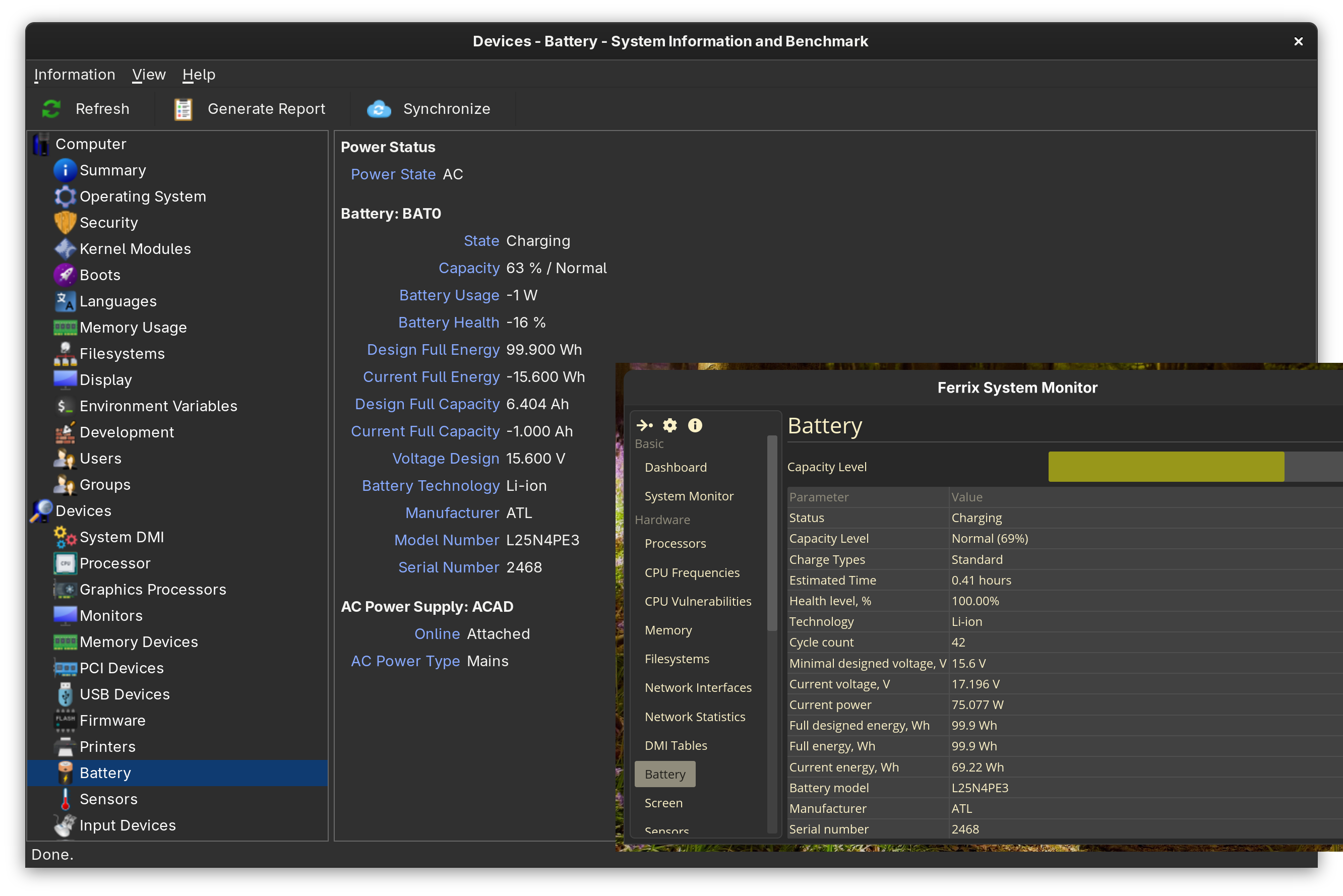
- Installed notebook battery(es) - status, capacity, battery health, technology, voltage, power, energy, battery manufacturer, battery model and serial number;
- Screens - supported modes and some data from EDID;
- Software:
- Information about installed GNU/Linux system: name, version, maintainer/developer, homepage URL, etc.;
- Users and groups list;
- Environment variables list;
systemdservices list;- Installed software list (only
debandrpmpackages is displayed yet); - Linux kernel information;
- Kernel modules list;
- Desktop environment name;
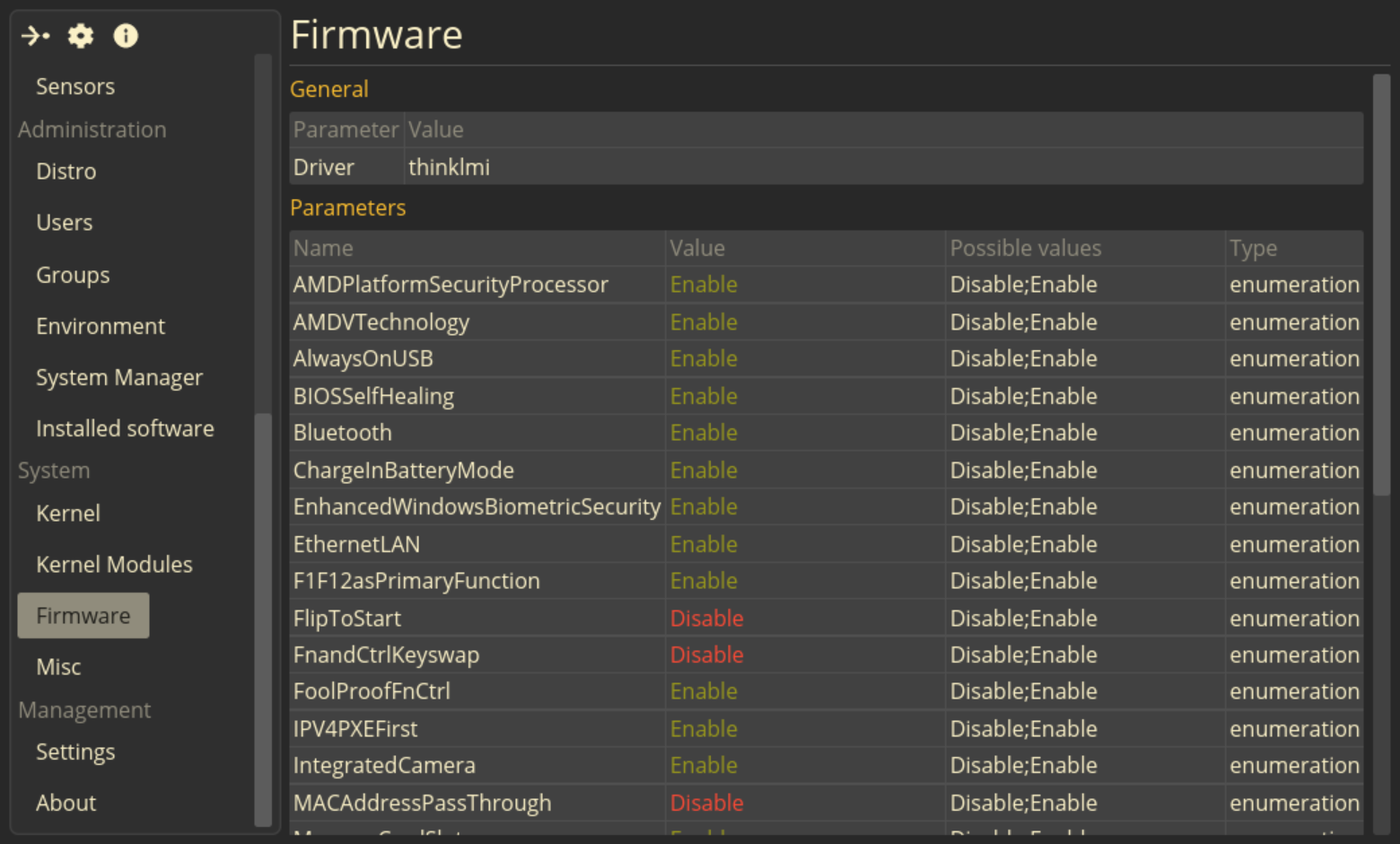
- UEFI Settings (tested on Lenovo ThinkBook);
| Criteria | FSM | Hardinfo2 | Stacer/Nexis |
|---|---|---|---|
| Programming language | Rust | C | C++ |
| Program type | System profiler | System profiler & hardware benchmark | System optimizer and monitor |
| GUI | iced |
GTK3 | Qt5/Qt6 |
| License | GNU GPLv3 | GNU GPLv3 | GNU GPLv3 |
| CPU&RAM utilization charts | 🟢️ | ⚪️ (charts is ugly) | 🟢️ |
| CPU Information | 🟢️ | 🟢️ | ⚪️ |
| Memory Information | 🟢️ | 🟢️ | ⚪️ |
| Filesystems Information | 🟢️ | 🟢️ | 🔴️ |
| Network Information | ⚪️ | 🟢️ | 🔴️ |
| DMI Tables contents | ⚪️ (full information from BIOS, Baseboard, Chassis, System, Processors, Memory Devices tables) | ⚪️ (only basic information from Chassis, BIOS, Baseboard tables) | 🔴️ |
| Notebook battery(es) Info | 🟢️ | ⚪️ (incorrect battery information) | 🟢️ |
| Connected screens Info | ⚪️ | 🟢️ | 🔴️ |
| Installed Linux system | 🟢️ | 🟢️ | 🔴️ |
| Users and groups list | 🟢️ | 🟢️ | 🔴️ |
| Environment variables list | 🟢️ | 🟢️ | 🔴️ |
systemd services list |
🟢️ | 🔴️ | 🔴️ |
| Linux boots list | 🔴️ | 🟢️ | 🔴️ |
| Installed software list | 🟢️ | 🔴️ | 🔴️ |
| Linux kernel information | 🟢️ | 🟢️ | 🔴️ |
| Desktop environment info | ⚪️ | ⚪️ | ⚪️ |
| Command shell info | 🟢️ | 🔴️ | 🔴️ |
| UEFI Attributes Info | 🟢️ | 🔴️ | 🔴️ |
| Hardware benchmarks | 🔴️ | 🟢️ | 🔴️ |
| System cleaning tools | 🔴️ | 🔴️ | 🟢️ |
| PCI- and USB-devices list | 🔴️ | 🟢️ | 🔴️ |
| Supported locales list | 🔴️ | 🟢️ | 🔴️ |
| GPU information | 🔴️ | 🟢️ | 🔴️ |
| Sensors information | 🔴️ | 🟢️ | ⚪️ |
| Target audience | Advanced users who need detailed information about software and hardware | Enthusiasts and overlockers interested in benchmarks and system comparisons | Beginners and regular users who want a simple tool for configuring and cleaning up their system |
| Real-time monitoring | 🟢️ | ⚪️ | 🟢️ |
| Official AppImage builds | 🟢️ | 🔴️ | 🟢️ |
- 🟢️ - yes;
- 🔴️ - no;
- ⚪️ - partial;


You can use the universal AppImage package (no installation required) or install the deb/rpm packages (for Debian/Ubuntu or Fedora/RHEL).
- Dependencies:
- glibc >= 2.36;
- Xorg or Wayland;
- Graphics drivers;
Download the AppImage package (only amd64 is supported yet):

Make this package executable:
sudo chmod +x ./Ferrix.System.Monitor-v0.7.1-x86_64.AppImageRun this package:
./Ferrix.System.Monitor-v0.7.1-x86_64.AppImage- Minimum version required: Debian 11, Ubuntu 22.04;
- Dependencies:
- glibc >= 2.36;
- dbus;
- Xorg or Wayland;
- Graphics drivers;
Download the package for your CPU architecture:


Install using apt:
sudo apt install ./ferrix-app_0.7.1-1_${your architecture}.deb- Minimum version required: Fedora 42;
- Dependencies:
- glibc >= 2.36;
- dbus;
- Xorg or Wayland;
- Graphics drivers;
Download the package (only amd64 is supported yet):

Install using dnf:
sudo dnf install ./ferrix-app-0.7.1-1.x86_64.rpm- Dependencies:
- glibc >= 2.36;
- GNU make;
- GNU coreutils;
rustc,cargo>= 1.96;- [optional]
dpkg,dpkg-dev,liblzma-devfor building thedebpackage; - [optional]
docker,buildx-pluginfor docker; - [optional]
libfuse2,wgetfor appimage build;
Clone this repository:
git clone https://github.com/mskrasnov/FSM
cd ./FSM1. Prepare your host system:
# If you use Debian/Ubuntu and its derivatives:
sudo bash ./packaging/debian/setup.sh

# If you use Fedora/RHEL:
sudo bash ./packaging/fedora/setup.sh
This script will install all build dependencies, including the Rust programming language toolchain (rustup, cargo, rustc).
2. Build the package:
debug-profile without optimizations and LTO:
make debugrelease-profile with optimizations and LTO and without debug symbols:
make buildIf you want to build Debian package, run this (on Debian):
cargo install cargo-deb
make deb
If you want to build Fedora/RHEL package, run this (on Fedora):
cargo install cargo-generate-rpm
cargo generate-rpm --target-dir=${PWD}/target/Install the cross-compilator:
sudo dpkg --add-architecture {arm64/i686}
sudo apt update

# For AArch64:
sudo apt install gcc-aarch64-linux-gnu binutils-aarch64-linux-gnu libc6-dev-arm64-cross
rustup target add aarch64-unknown-linux-gnu

# For i686:
sudo apt install gcc-12-i686-linux-gnu binutils-i686-linux-gnu
rustup target add i686-unknown-linux-gnu
Build FSM:
#   debug-profile:
make TARGET={i686/aarch64}-unknown-linux-gnu debug
# or
#   release-profile:
make TARGET={i686/aarch64}-unknown-linux-gnu buildNote 1: In the Docker container you can build the Debian or Fedora/RHEL packages and AppImage.
Note 2: Each of the built packages will be placed in the
builds/directory.
1. Some preparations.
1.1. To build deb or AppImage packages:
docker build -t fsm-debian -f ./packaging/debian/Dockerfile .1.2. To build rpm package:
docker build -t fsm-fedora -f ./packaging/fedora/Dockerfile .2. Build packages.
2.1. Build deb-packages:
docker run --rm            \
    -v "${PWD}:/workspace" \
    fsm-debian             \
    packaging/debian/build.sh
Note: This script will build 3 packages: for the
amd64,i386, andaarch64architectures.
2.2. Build AppImage package (for amd64):
docker run --rm            \
    -v "${PWD}:/workspace" \
    fsm-debian             \
    packaging/debian/appimage.sh
2.3. Build rpm package (for amd64):
docker run -- rm           \
    -v "${PWD}:/workspace" \
    fsm-fedora             \
packaging/fedora/build.shexport XDG_SESSION_TYPE=xorg
export DISPLAY=':0'
export WAYLAND_DISPLAY=
ferrix-appcargo build
cargo run --bin=fxappSee FSM Home Page for details.
- OS: Linux with
glibc,dbusandsystemd; - Programming language: Rust 1.96+ (2024 edition);
- GUI:
iced; - Hardware: modern PC or laptop;
Developing FSM takes time and passion. If you find it useful, please consider supporting its development:
- Star ⭐ this repo! It helps others discover FSM;
- Write comments, questions, bug reports, or suggestions for new functionality in issues.
- If you are from Russia, send me a donation 💰 in Boosty. This will help me keep my enthusiasm alive, as well as pay my internet bills so that I can continue working on FSM.
- Spread the world! Tell friends, post on forums.
Ferrix System Monitor is free and open-source software distributed under the GNU General Public License v3.0. See LICENSE file for details.