A local coding MCP runtime for ChatGPT.


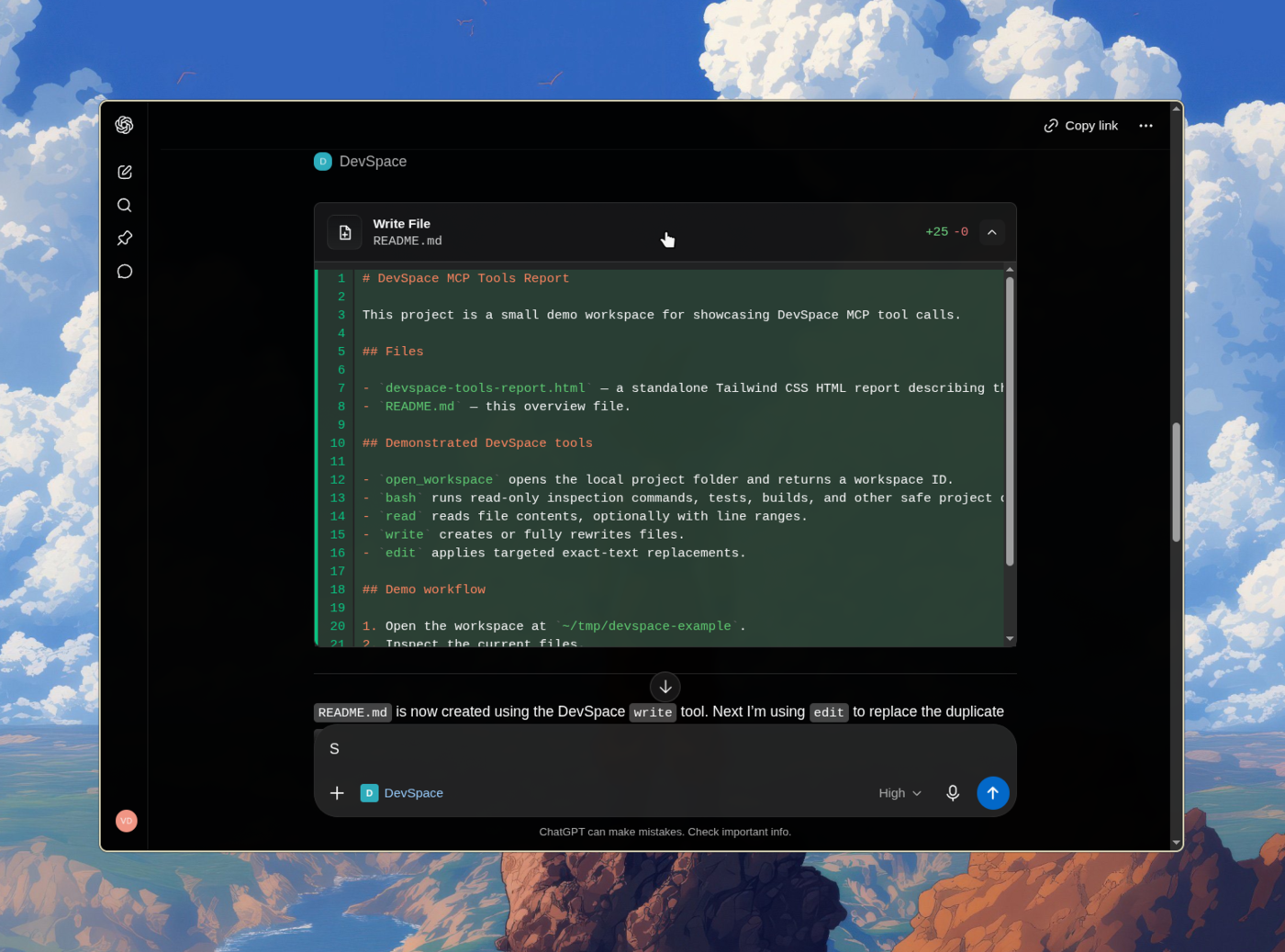
ChatGPT is the coding agent. DevSpace is the local runtime and tool layer.
DevSpace is a self-hosted MCP server that lets ChatGPT and other MCP hosts directly work with local projects through workspace-scoped filesystem tools, native shell execution, tracked process sessions, Git worktrees, artifacts, and change review. DevSpace does not invoke another coding model or coding-agent provider behind the scenes.
| Sponsor | About |
|---|---|

|
The ads in your terminal pay you. Rebates adds one optional sponsored footer to your coding agent and pays you cash back for every session in which it is shown. Turn it off at any time. |
DevSpace is open to new sponsors. Get in touch to become one.
DevSpace requires Node >=22.19 <27.
Install the DevSpace CLI:
npm install -g @ssfxx44533/devspaceThen initialize and start the server:
devspace init
devspace serve
Or run it without a global install:
npx @ssfxx44533/devspace init
npx @ssfxx44533/devspace serve
During setup, DevSpace asks for:
- the local project folders ChatGPT is allowed to open through DevSpace
- the local port, usually
7676 - your public HTTPS base URL from Cloudflare Tunnel, ngrok, Pinggy, Tailscale Funnel, or another reverse proxy
Use the public origin without /mcp during setup:
https://your-tunnel-host.example.com
You will configure your MCP client with the public /mcp URL after setup.
When the client connects, DevSpace opens an Owner password approval page. Enter
the Owner password printed by devspace init. It is also stored in:
~/.devspace/auth.json
Keep that password private.
The default local endpoint is:
http://127.0.0.1:7676/mcp
Most users should connect through a public HTTPS tunnel:
https://your-tunnel-host.example.com/mcp
Note
Using DevSpace as an MCP connector isn't against OpenAI's Usage Policies — it's a standard custom App/connector setup, and writing or running code isn't a restricted use case. But your account is governed by your usage, not by DevSpace. Don't point it at anything that would violate your provider's terms. Used normally, you're fine. (Based on OpenAI's Usage Policies and Service Terms as of June 2026.)
Once connected, ChatGPT can open one of your approved project folders as a workspace. From there, it can inspect the repo, make scoped edits, run commands, and show you what changed.
DevSpace gives ChatGPT tools to:
- read and search files inside the opened workspace
- apply structured patches for precise source changes
- run normal local development commands, including file operations, Git, package managers, generators, tests, builds, and project scripts
- recover, inspect, interact with, and explicitly terminate long-running process sessions while the server remains running
- use isolated Git worktrees for parallel coding sessions
- follow project instructions from
AGENTS.mdandCLAUDE.md - discover local agent skills from your skill folders
- detect changed active instructions or skills and refresh an explicit, persisted workspace context revision before more mutations run
- show tool cards and optional change summaries in ChatGPT Apps-compatible hosts
Outbound file sharing through Cloudflare R2 is optional and disabled by default.
When it is not configured, DevSpace does not expose share_file, invoke Wrangler,
or require Cloudflare credentials. See the
configuration reference
if you want to enable it.
The MCP host is the coding agent. DevSpace is remote access to selected local folders and the local development runtime.
You decide which roots are allowed for structured filesystem tools. Shell commands run with the authority of the local user running DevSpace and are not an OS sandbox. Treat a connected client like a trusted coding partner with access to your machine.
For a normal ChatGPT coding session:
- Start your tunnel.
- Run
devspace serve. - Connect the MCP client to your public
/mcpURL. - Approve the connection with the Owner password.
- Ask ChatGPT to open a project inside one of your allowed roots.
DevSpace supports Linux, macOS, and Windows environments with a Bash-compatible shell.
| Platform | Status | Notes |
|---|---|---|
| Linux | Supported | Requires Node, npm, Git, and Bash. |
| macOS | Supported | Requires Node, npm, Git, and Bash. |
| Windows with Git Bash, WSL, MSYS2, or Cygwin Bash | Supported | Git Bash is the simplest native Windows setup. |
Windows PowerShell or cmd.exe only |
Not supported yet | Install Git Bash or use WSL. |
Run this to inspect your local setup:
devspace doctor- Setup Guide
- ChatGPT Coding Workflow
- Configuration Reference
- Native File Download
- Security Model
- Troubleshooting Gotchas
Every piece of software is becoming conversational. Natural language is redefining how we interact with tools, workflows, and systems.
DevSpace keeps that relationship direct: MCP-capable hosts such as ChatGPT and Claude perform the reasoning and coding work themselves, while DevSpace provides explicit, inspectable access to the local development environment.
I'm Waishnav. I like building opinionated products and tools, and Artifacts is one example.
This year, I began my journey to build a one-person, multi-agent company capable of generating millions in revenue. If you want to follow the failures, wins, lessons, and everything in between, come hang out with me on X.
| Project | About |
|---|---|
 GitCMS |
Modern CMS and tooling for markdown based content sites — built for agents and humans. Visual editing, editorial workflow, and ChatGPT/Claude content agents, with every post and page stored as files in your repo. Learn more. |
For working on DevSpace itself:
npm install --include=dev
npm run dev
npm run typecheck
npm test
npm run build
npm run start